 Nextra
Modelling
Line supports, surface supports and springs
#Line supports, surface supports and springs
Point supports are painted on points in the Supports tab (see Supports, loads and sections). This guide is about the other three kinds Nextra Design has. The app saves them in the form of the Nextra Design model, so the engine reads them the same way:
- a line support: a straight line on which every FE node is held (a wall foot under a slab edge, a strip bearing);
- a surface support: elastic bedding under a whole slab or wall (Winkler springs per m²), for a raft or ground slab;
- a spring: a stiffness in each of the six directions, which a support or line support can use instead of being fixed. A spring can act in compression only or tension only, and it can yield.
Open them with Supports → Line, surface, springs (on a phone: the Supports tab, then the Line, surface, springs button in the tool row).
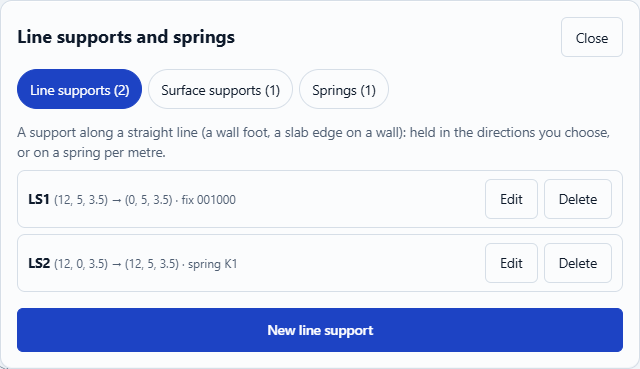
The dialog has three tabs. Each tab lists what the model has, with Edit and Delete, and a New … button. Every change is one step, so one Undo takes it back. Before anything is saved, the app runs the same check the engine makes. If a value cannot be used, the reason shows in red and nothing changes.
These objects are not drawn in the 3D view yet. The list shows their coordinates.
#Line supports
- New line support. The name is suggested (LS1, LS2 …).
- Line: give the two end points in one of three ways.
- Pick Along a member or slab edge to copy both ends of a member or of one edge of a slab. "SL1 edge 3" is the edge from corner 3 to corner 4 of slab SL1.
- Pick a point… next to Start or End to copy that point's coordinates.
- Type x, y and z in metres.
- Support: choose how the line is held.
- Fixed directions: six buttons in global axes. ux, uy and uz are the translations; rx, ry and rz are the
rotations. A highlighted button is held.
- 111000: a pinned line.
- 001000: a vertical bearing only.
- 111111: a clamped edge.
- On a spring: pick a spring from the Springs tab. On a line its stiffness counts per metre of line, so a spring with uz = 5000 gives 5000 kN/m per m. Spring axes can be global, or along the line (edge): x along the line, z up and y = z × x. On a vertical line, x is global x.
- Fixed directions: six buttons in global axes. ux, uy and uz are the translations; rx, ry and rz are the
rotations. A highlighted button is held.
- Add line support.
Every FE node on the line is supported. That includes the nodes of members and slab edges lying on it, and the nodes the mesh places along it. If no part of the model touches the line, the engine reports "no nodes on the line" and ignores it. The two end points must be different.
#Springs
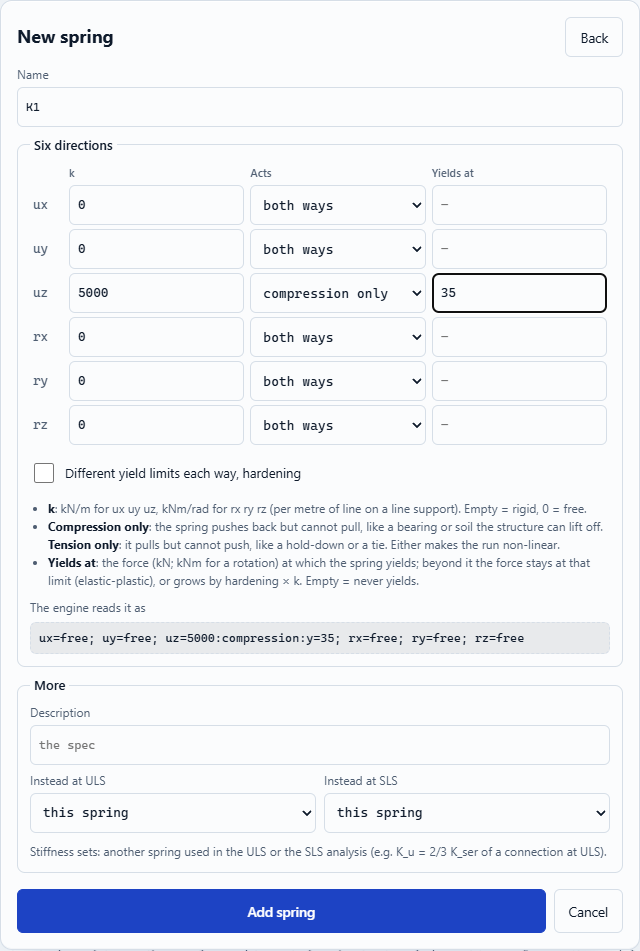
- New spring. The name is suggested (K1, K2 …).
- Six directions: one row each for ux, uy, uz, rx, ry and rz.
- k: the stiffness.
- kN/m for ux, uy and uz; kNm/rad for rx, ry and rz.
- Per metre of line when a line support uses the spring.
- Empty = rigid. 0 = free.
- Acts:
- both ways: a linear spring.
- compression only: the spring pushes back but cannot pull. Use it for a bearing, or soil that the structure can lift off.
- tension only: it pulls but cannot push. Use it for a hold-down or a tie.
- Yields at: the force (kN, or kNm for a rotation) at which the spring yields. Beyond it the force stays at that limit (elastic-plastic). Empty means it never yields.
- Tick Different yield limits each way, hardening to give separate limits for pulling and pushing, and a hardening ratio. Past yield the stiffness is then hardening × k instead of zero.
- k: the stiffness.
- The engine reads it as shows the spring as Nextra Design's spring spec. For example,
ux=free; uy=free; uz=5000:compression:y=35; rx=free; ry=free; rz=free. It is the spring spec string the Nextra Design schema reads, so you can check what you entered at a glance. A decimal comma you type is written as a point. - More (optional):
- Description: your own label. By default it is the spec.
- Instead at ULS / Instead at SLS: another spring used in that analysis (stiffness sets). For example, a connection at Ku = ⅔ Kser at ULS.
- Add spring.
A spring that acts in compression or tension only, or that yields, makes the analysis non-linear. The engine then solves each combination iteratively, which takes longer. A spring that a support still uses cannot be deleted: the app names the supports that use it. Give them another spring or fixed directions first.
#Surface supports
- New surface support. The name is suggested (SS1 …).
- On the slab / wall: one of the model's surfaces.
- kz: the modulus of subgrade reaction normal to the surface, in kN/m³ (kN/m² per m of settlement). Roughly 10 000 for loose sand up to 100 000 for dense gravel. Take the value from the geotechnical report.
- kx, ky (optional): springs in the plane of the surface (friction or shear), in the surface's local axes. With none of these and no other support, the slab can slide; the engine writes a warning about it in its analysis notes.
- No tension: where the soil would have to pull, its springs drop out (lift-off). This makes the run non-linear.
- Soil on: which side of the surface the soil is on (the bottom is the surface's −z side).
- Allowable bearing pressure (optional), in kN/m². The engine reports it as a check of the soil pressure.
- Add surface support.
The springs are placed at every node of the surface, in proportion to the area around the node.
#On a phone
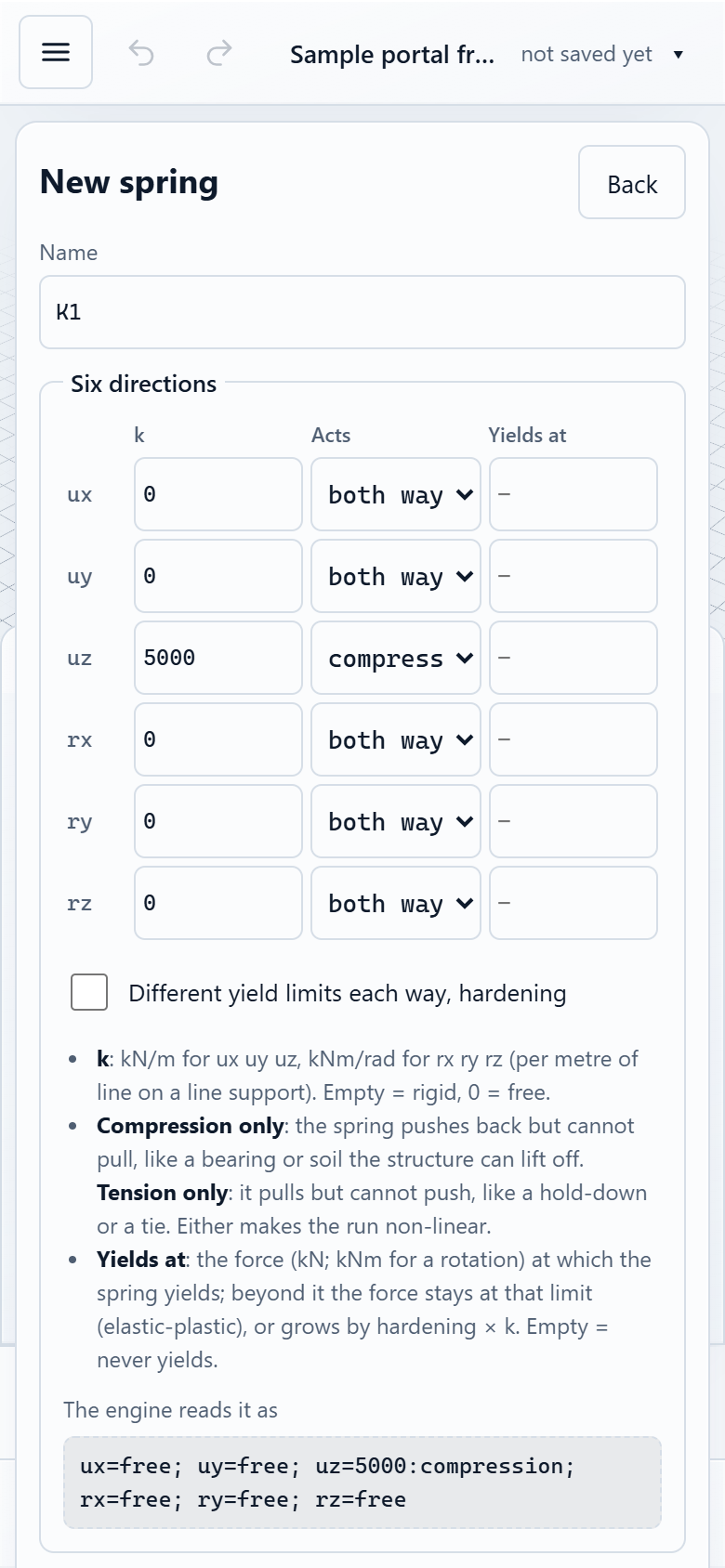
The same dialog opens from the Supports tab on a phone. The tables shrink to fit the screen.
#What was checked against the engine
Every value the app accepts was run through the real engine: schema validation, reference checks, and the FE idealisation in both the ULS and SLS stiffness sets. The app also refuses some values the engine would take but misread:
- a "fix" with digits other than 0 and 1;
- a surface support on a surface that does not exist (the engine would silently leave it out);
- a number written as text;
- inf in a spring spec.