Nextra
AI assistants
Plugins (beta)
#Plugins (beta)
Write your own tools for nextra.structuralweb in JavaScript: a check that reports on the model, or a command that proposes changes (pin all beam ends, renumber, generate a truss). Install a private plugin from a file into your own browser, or a signed one from the Marketplace, where invited publishers share theirs after our review.
#Install and run
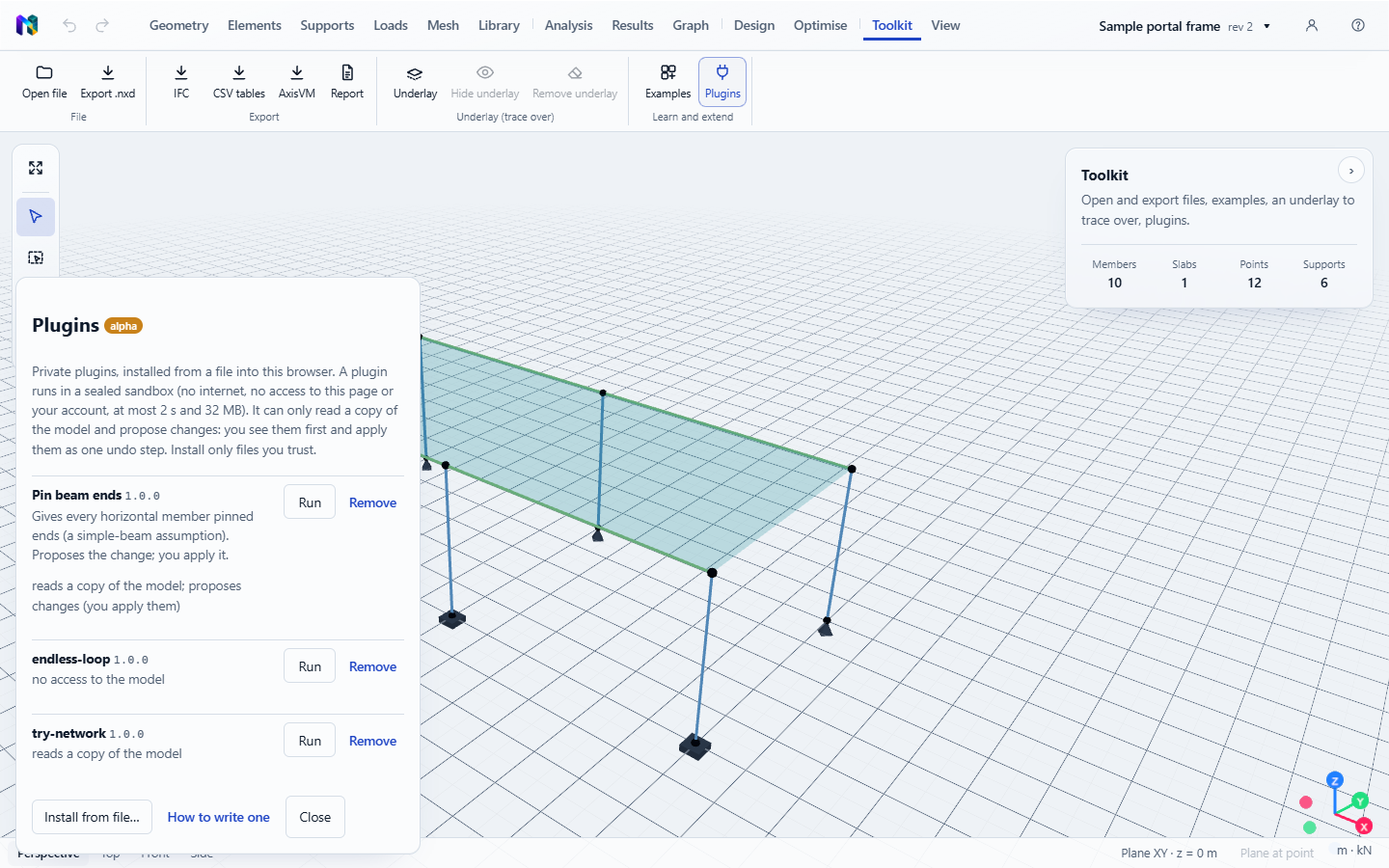
- Toolkit → Plugins (on a phone: Toolkit in the bottom bar, the Learn and extend button, then Plugins).
- Install from file… and choose a
.jsplugin (or a.jsonbundle). The list shows what the plugin may do. - Run. If the plugin proposes changes, the model on screen shows the result and the dialog says how many items change.
- Apply keeps them as one undo step; Discard drops them. Nothing changes without your click.
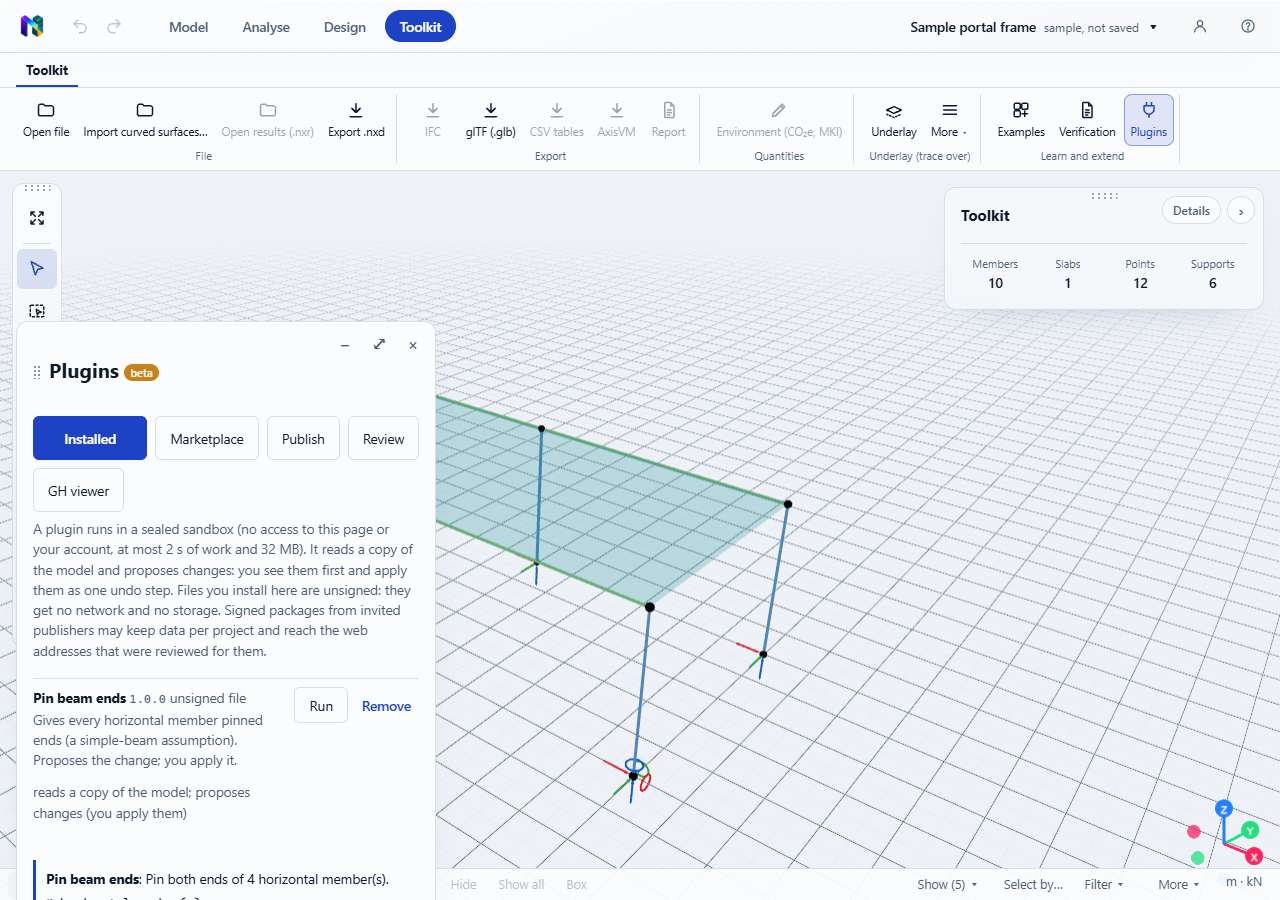
Installed plugins stay in this browser until you choose Remove. Installing a file with the same id replaces the old version.
#What a plugin can and cannot do
A plugin runs in a sealed sandbox: its own JavaScript engine (QuickJS, compiled to WebAssembly) inside a separate worker.
| It can | It cannot |
|---|---|
read a copy of the model (permission model:read) |
reach this page, your account, your session or cookies |
propose changes as typed operations (permission model:propose) |
change the model without your click on Apply |
ask you for values in a form the app draws (permission ui) |
draw its own screens |
keep a little data per project (permission storage, signed plugins only, 64 kB) |
read another plugin's data |
| call the web addresses reviewed for it (signed plugins from the Marketplace only) | reach any other address, or a private one |
| write a short message and log lines | run longer than 2 s or use more than 32 MB (it is stopped) |
The sandbox is an invisible frame with no origin of its own (no cookies, no storage, no network), a worker inside it, and the
plugin's own JavaScript engine inside that. A change a plugin proposes and you apply is saved as one revision marked with the
plugin's id and version (for example plugin:dev.example.tool@1.2.0), so the history shows which plugin made it.
A file you install yourself is unsigned: it never gets storage or the network, whatever it asks for.
Plugins run the same in Chrome, Edge, Safari and Firefox (checked 2026-11-20). On a phone a plugin is slower (about four times on a mid-range phone, six on a low-end one): the 2 s limit then stops a long calculation sooner than on a computer.
Every proposed change goes through the same checks as an edit you make by hand; a change the model does not accept is refused with the reason. Still: install only files you trust, as you would with a desktop add-in.
#Write one
A plugin is one file. The first comment is its manifest; the file defines main(input):
/* nextra-plugin {"id": "pin-beam-ends", "name": "Pin beam ends", "version": "1.0.0",
  "description": "Gives every horizontal member pinned ends.",
  "permissions": ["model:read", "model:propose"], "params": {"tolerance_deg": 5}} */
function main(input) {
  const tol = Math.sin((input.params.tolerance_deg * Math.PI) / 180);
  const beams = input.model.members.filter((m) => {
    const d = [0, 1, 2].map((i) => m.end[i] - m.start[i]);
    return Math.abs(d[2]) / Math.hypot(...d) <= tol;
  }).map((m) => m.id);
  console.log(`${beams.length} horizontal member(s)`);
  return {
    message: `Pin both ends of ${beams.length} horizontal member(s).`,
    operations: [{ type: 'attrs.set', ids: beams, set: { release_start: 'pinned', release_end: 'pinned' } }],
  };
}
id: 3 to 41 lower-case letters, digits or dashes.version: like1.0.0.params: values passed ininput.params.input.modelis the.nxdmodel (members withstart/endin metres,section,material; surfaces; supports; loads).operationsare the same typed operations the assistant connector uses, for exampleattrs.set(section, material, end releases, design fields),support.set,load.add,case.add,combo.set. See Assign properties for the attribute fields.- Return no
operationsfor a read-only check; a plugin withoutmodel:proposethat returns operations is refused.
Two examples (pin beam ends, a model report of length per section) are in the source under packages/plugins/examples.
Every manifest field, permission, runtime call and limit: Plugin SDK reference.
#Signed plugins, the form, and plugin data
A signed plugin is a .zip with nextra-plugin.json (the manifest), its code, and nextra-plugin.sig, the publisher's
signature. The app checks the signature against the publisher's registered keys before it installs or runs it; a changed file,
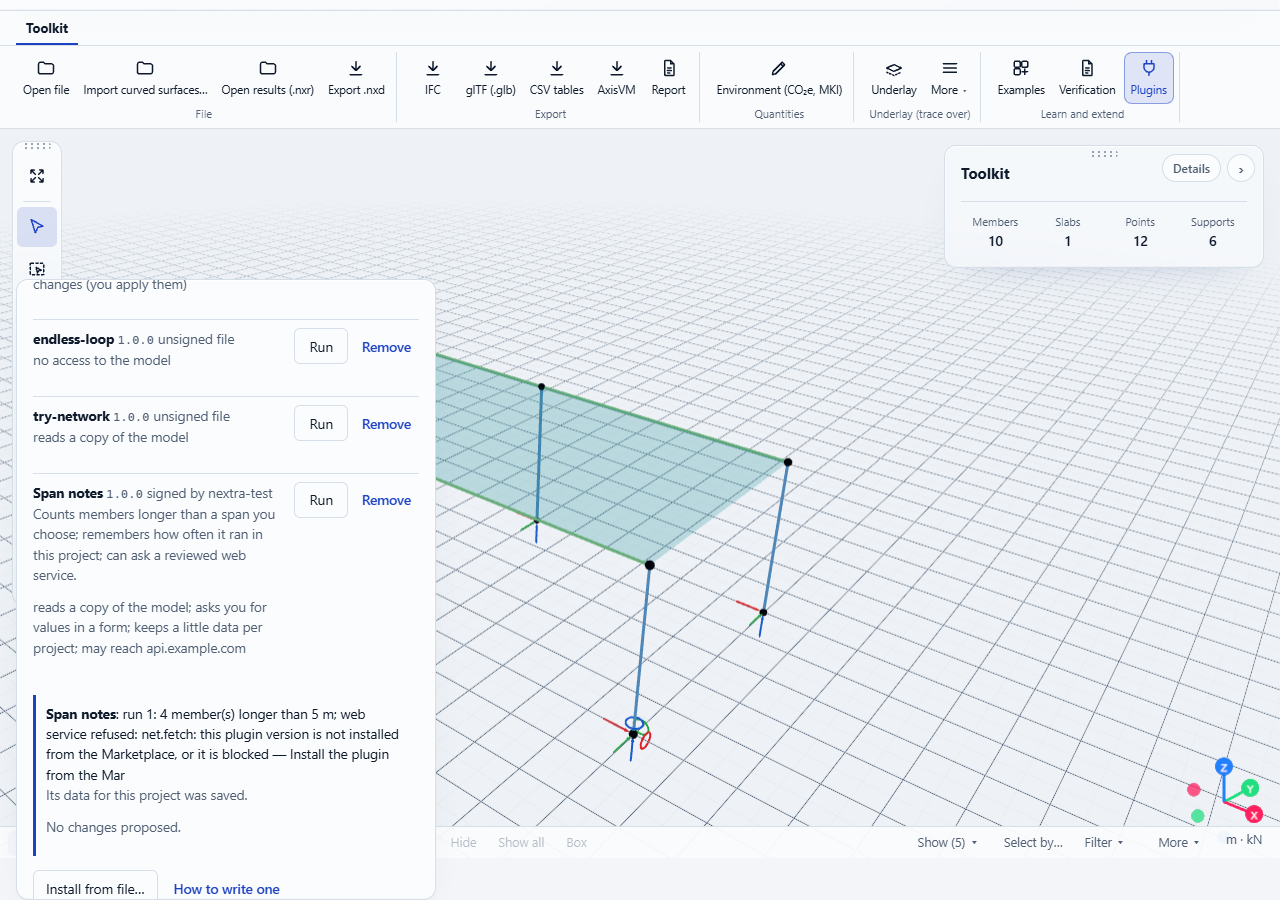
an unknown key, or an id outside the publisher's namespace is refused. A plugin with a ui.form asks for its values first:
#Marketplace
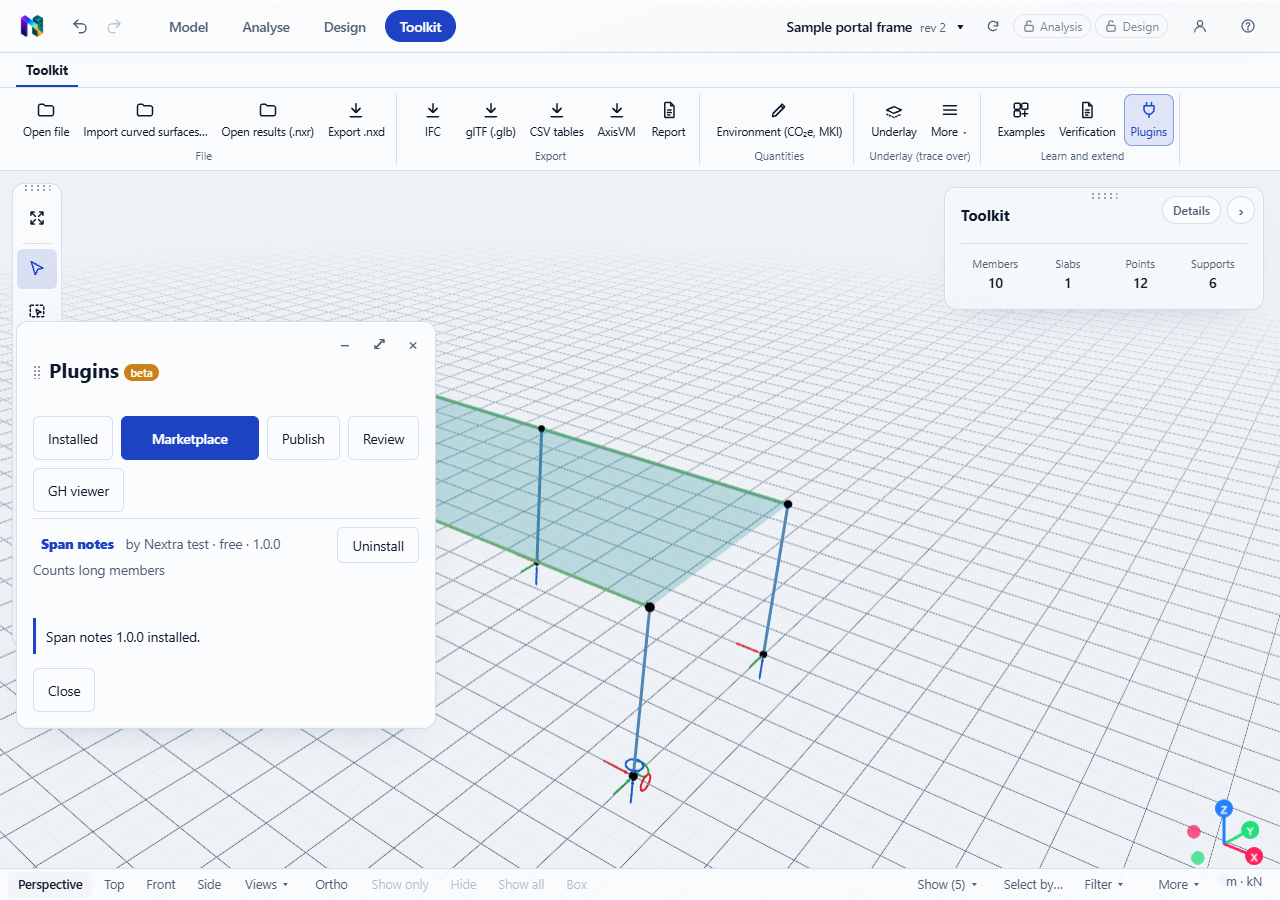
Plugins → Marketplace lists the plugins you may install: public ones, and those your organisation shares with its members only. Open one to see what it asks for and which web addresses it may reach; Install downloads it, checks the signature and adds it to your account (every browser you sign in to); Uninstall removes it. A paid plugin shows Buy: payment goes through Stripe (switched on later; until then the button says so).
#Updates, ratings and activity
- Update to 1.1.0 shows when a newer reviewed version exists. If it asks for something the installed one did not (say, keeps its own data), the row lists exactly the new permissions and waits for Agree and update; nothing new: it updates at once. The database refuses an update whose new permissions you did not agree to.
- Rating: open a plugin; once installed you give it 1 to 5 stars and, if you like, a comment. Everyone sees the average and the number of ratings; only the plugin's publisher reads the comments, without your name.
- Activity lists what your plugins did in the last 90 days: installed, updated, removed, rated, saved their data, reached the internet. Only the plugin, what happened, the version and the time: never the data itself.
For admins (full admin sign-in), Review also shows the publishers (plugins, versions, waiting, blocked; Suspend hides all their plugins), the blocked plugins (Unblock) and every version with its status (Block). Admins see these numbers, never a person's projects.
#Publishing (invited publishers)
- We register your account as a publisher with a namespace (for example
dev.example); every plugin id starts with it. - Make a signing key:
python tools/plugin_pack.py keygen mykey. Keepmykey.keysecret; paste the line inmykey.pubunder Plugins → Publish → Add key. - Put
nextra-plugin.json(with"publisher","main", and"network"if it calls web services) and your code in a folder, thenpython tools/plugin_pack.py pack <folder> my-plugin.zip --key mykey.key --key-id key1. - Upload signed zip. The upload is checked at once (size, zip safety, manifest, signature, forbidden code such as
evalorfetch; usenextra.net.fetch), then waits for our review. A new version must have a higher version number. - Under Listing: everyone, or one of your organisations only, and a price (0 is free).
Inside the plugin: nextra.storage.get(key), .set(key, value), .delete(key), .keys(); await nextra.net.fetch(url, { method, headers, body }) returns { status, headers, text(), json() }; main may be async; input.form holds the form values.
#Grasshopper viewer
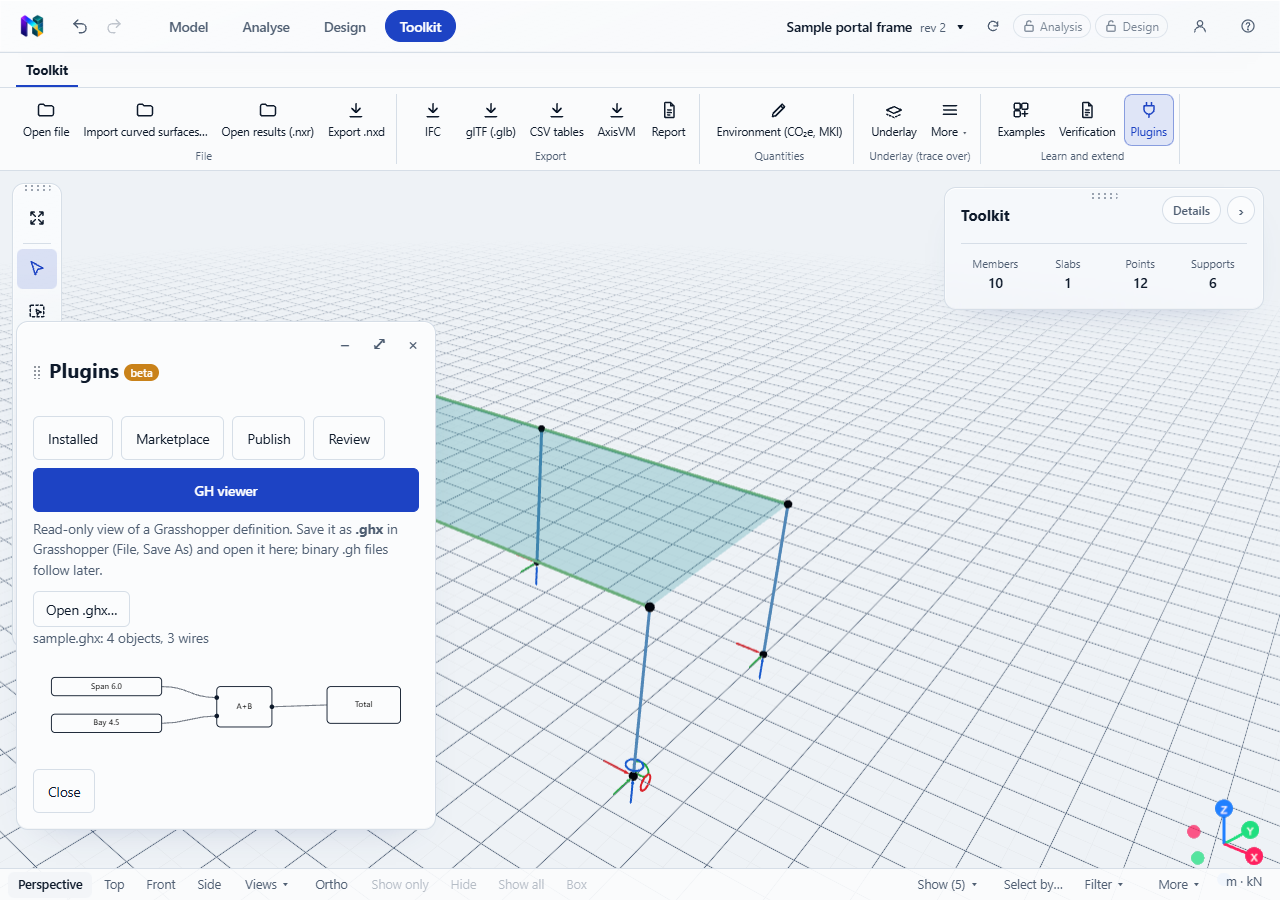
Plugins → GH viewer opens a Grasshopper definition, binary .gh or .ghx, and shows its components, parameters and wires.
Drag the background to pan, scroll to zoom.
Edit turns it into a small editor: drag a component to move it; tap an output, then an input, to connect them; tap a wire to remove it. Save .ghx or Save .gh downloads the definition for Grasshopper. Everything else in the file (component settings, scripts, values, the thumbnail) is kept as it was: the editor changes only positions and wires. Adding components and changing values are a later step.