 Nextra
Modelling
Import curved surfaces (NURBS, meshes)
#Import curved surfaces (NURBS, meshes)
Shells that are not flat (a barrel vault, a dome, a free-form roof) come in from Rhino or any 3D program with Toolkit › File › Import curved surfaces…. Each surface becomes a shell with its own mesh: the engine analyses that mesh as a curved shell (each element with its own axes), exactly as Nextra Design does with a Rhino mesh. The surfaces are added to the model that is open; one import is one undo step.
| File | What is read |
|---|---|
Rhino .3dm |
NURBS surfaces, polysurfaces (each face its own shell), extrusions and mesh objects. Units from the file |
.obj |
the mesh (v and f lines; o / g names become the layer). No units in the file: guessed (see below) |
.stl |
binary or text; the triangles are joined where they meet. No units in the file: guessed |
Lines, curves and points are not read here: Open file reads them as members (Files).
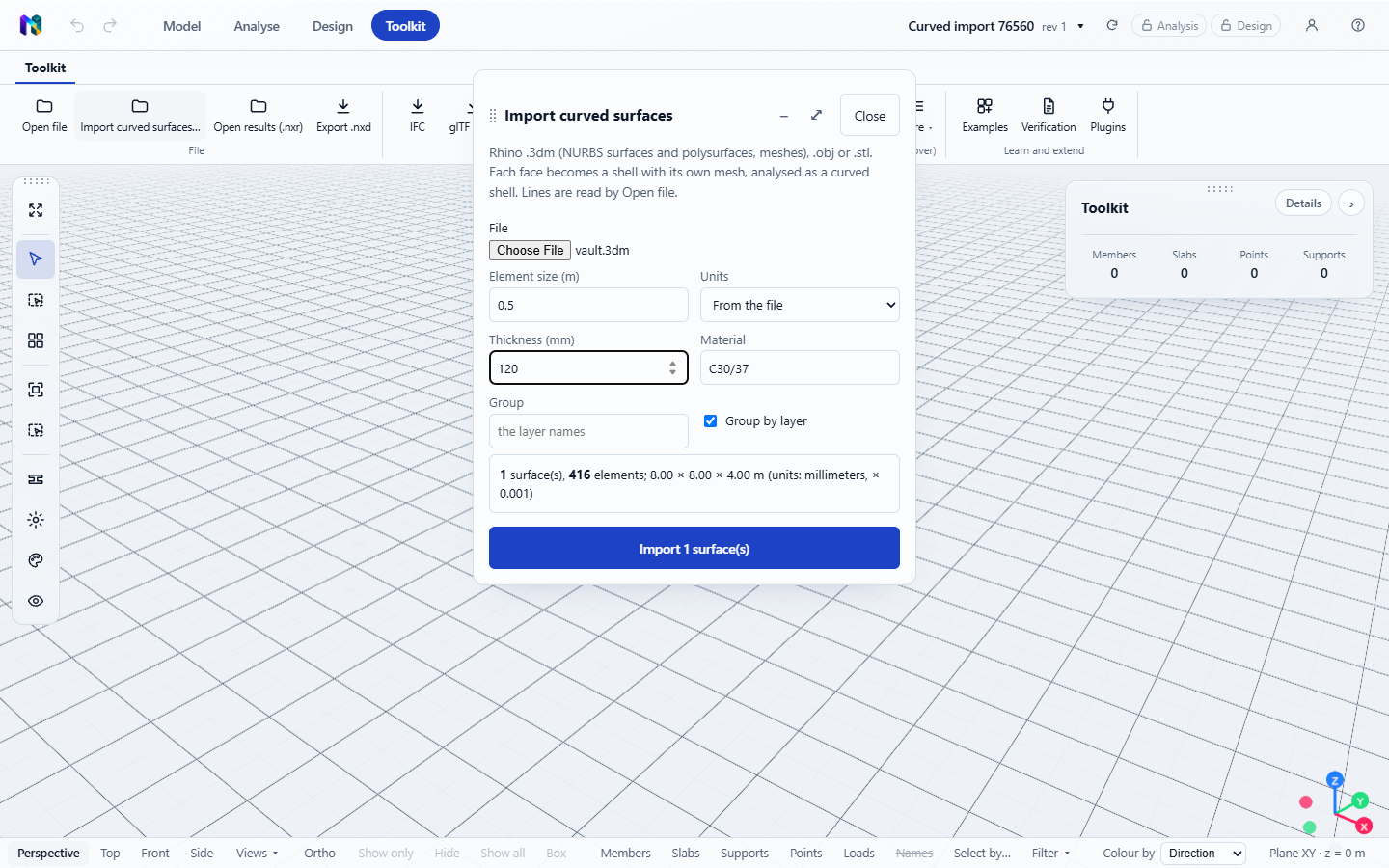
#The dialog
- File: choose the
.3dm,.objor.stl. It is read in the background (Rhino files with McNeel's rhino3dm), in a separate worker of the browser; nothing is uploaded. Changing an option reads it again. - Element size (m): the size of the shell elements a NURBS face is cut into (the model's mesh size by default). A face is
cut into 4 to 64 pieces each way. A mesh (
.obj,.stl, a Rhino mesh) is used as it is: its faces are the elements. - Units: From the file uses the
.3dm's unit system. An.objor.stlhas none: a mesh larger than 200 units across is taken as millimetres, otherwise metres, and the preview says it is a guess; pick the unit when it is wrong. The preview also warns when the size looks wrong (larger than 2 km, or smaller than 5 cm). - Thickness (mm) and Material: for all the imported surfaces (the model's most common slab by default).
- Group: a group for all of them, or with Group by layer each Rhino layer (or
.objobject) its own group.
The preview shows the number of surfaces and elements, the overall size in metres, and what was left out and why. Then Import.
#What becomes of each surface
- A mesh holding several separate pieces becomes one surface per piece (one surface has one outline).
- Its outline is the mesh's outer edge: one point per edge vertex. A point already in the model at the same place (within the model's tolerance, 1 mm by default) is used, so a shell sits on the columns under it.
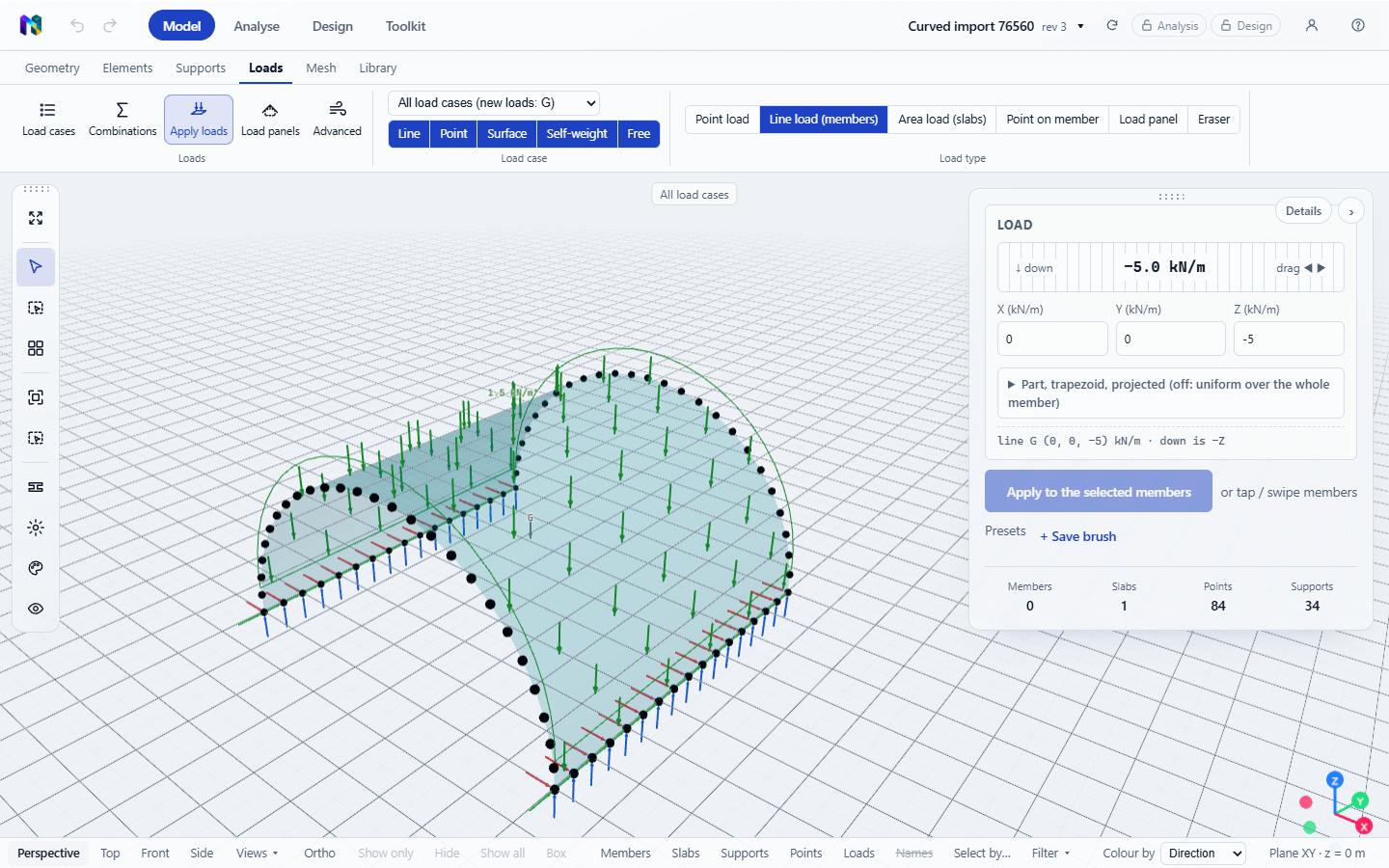
- Supports and loads: put supports on the edge points, and area loads on the surface, as on any slab. The load is drawn over the curved surface.
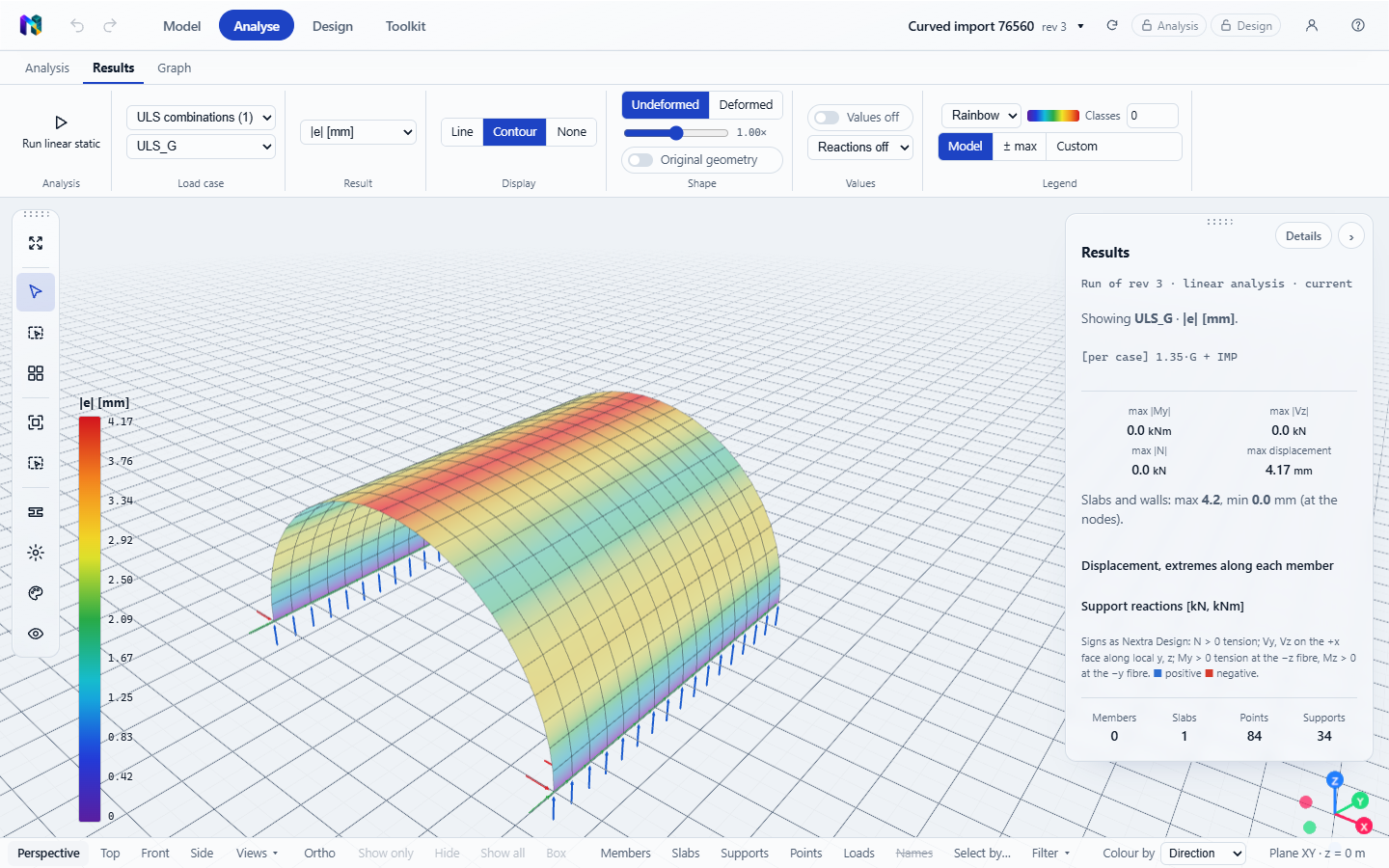
- Analysis: Run linear static (or Run design) meshes nothing new for these surfaces: the engine takes their mesh and connects the members, supports and other surfaces on it. Mesh › Run mesh shows that mesh and its quality.
#An opening in a curved surface
Opening works on these surfaces too: pick the surface, then two opposite corners. The rectangle is laid across the surface's mean direction (for a vault: seen from above), and the hole is cut into the surface's own mesh: the faces inside go, the faces it crosses are cut along it and re-made into triangles, so the mesh stays closed around the hole. Undo puts the mesh back. It is refused, with the reason, when the rectangle reaches the surface's edge, misses the surface, or lies over a part that folds back under itself seen from that direction (a nearly closed tube: split it first). The opening is part of the mesh: it has no corner points of its own to move afterwards; undo and draw it again to change it.
#Rhino files: faces, trims and closed surfaces
- An untrimmed face or surface is evaluated on a grid at the element size: it follows the NURBS exactly at the grid points.
- A trimmed face (a surface cut by curves) uses the render mesh Rhino stored with it (else its analysis mesh). A file saved without render meshes (Save Small) has none: such faces are left out and the preview says so. Save the file normally in Rhino, or run Mesh in Rhino and import that mesh.
- A face closed in one direction (a full cylinder, a sphere) is cut in two at its seam, so each half has an edge that can be supported.
- The faces of a polysurface are meshed one by one; where they meet, each takes the other's edge points, so they are connected all along the seam.
- SubD objects and blocks are left out (turn SubD into NURBS or a mesh, explode blocks).
#Limits and checks
- A file is at most 64 MB; one surface at most 10,000 elements (use a larger element size, or a coarser mesh).
- A closed mesh (no edge at all, such as a sphere from an
.stl) is left out: cut it open to support it. - A mesh with an edge shared by three or more faces, or two pieces touching at one point, is not a single shell and is left
out. A polygon face of an
.objwith more than four corners is cut into triangles in its plane; one whose outline crosses itself stops the import, with its line number. - Moving or rotating the whole surface (all its edge points) takes its mesh along, and Copy copies it. Moving only some of its edge points does not change the mesh: the model check then says that corner is off its own mesh. Move it back, or import the surface again.
- Holes in a mesh stay open: the engine analyses the mesh as it is.