 Nextra
nextra.structuralweb · In progress
Structural models in your browser, on your phone, and in your AI assistant
Frames and slabs, supports and loads, analysis and design checks, with the same engine and file format as Nextra Design. Free while in early access: still in progress, new features arrive often.
How it works
Step 1
Take a photo
On your phone, photograph a sketch, a drawing or the structure itself and ask your assistant (ChatGPT, Claude, Gemini) to model it.
Step 2
The assistant builds and checks
With the nextra.structuralweb connector it creates the model, runs the analysis with the Nextra Design engine and shows the result.
Step 3
Open it anywhere
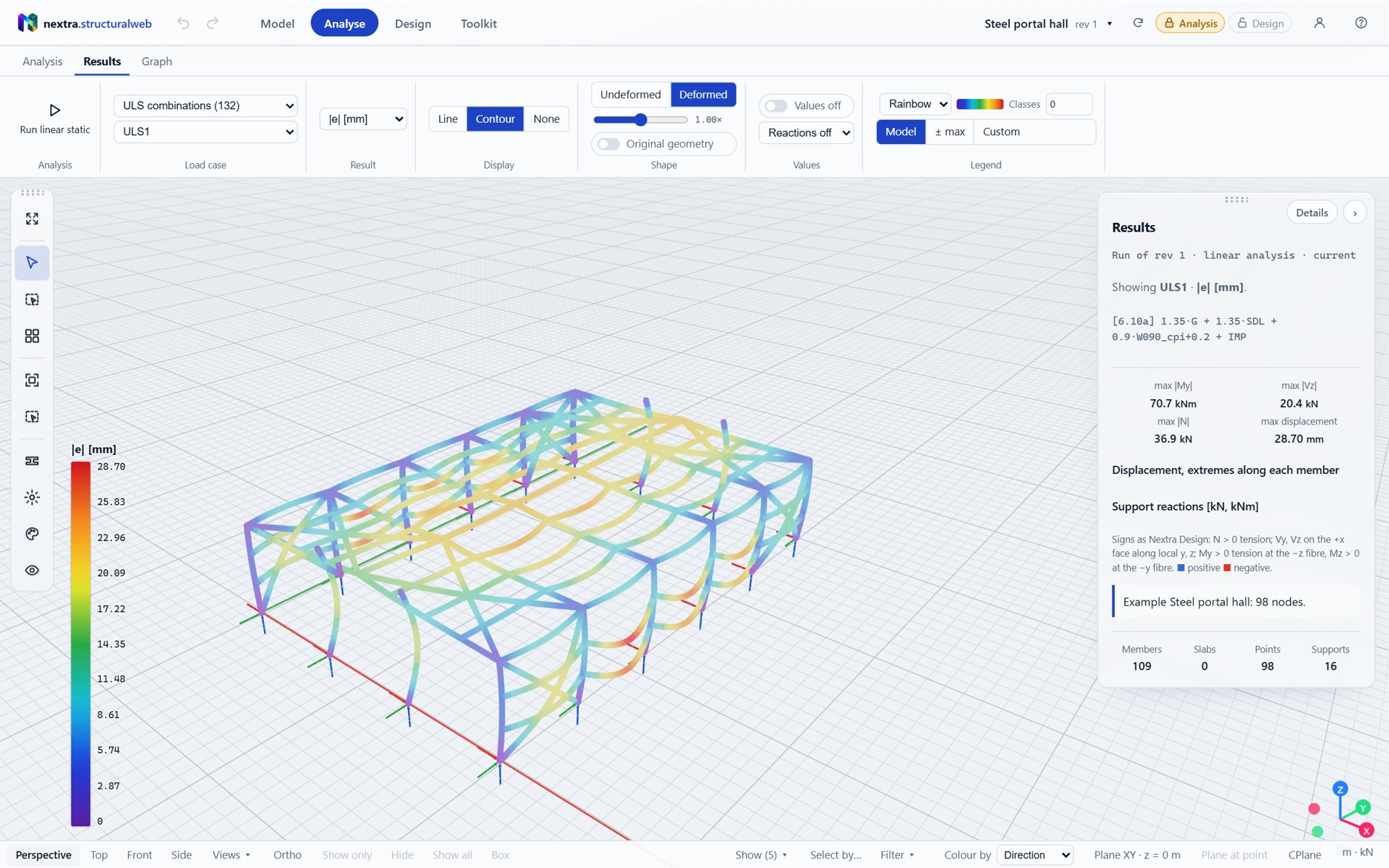
The same project opens on your laptop: drag joints like in a game, or type exact numbers. Every change is a revision you can undo.
Step 4
Export
Download the model as .nxd for Nextra Design and Rhino, or import IFC from other software.
The structure graph: a model an AI can read
nextra.structuralweb is designed for AI from the start. Every model is also a graph: each member is a dot, members that share a point are joined by a line, solid where moment passes and dashed where it is released. You see it in 2D or 3D; an assistant reads the same graph as a short text, not as 3D geometry.
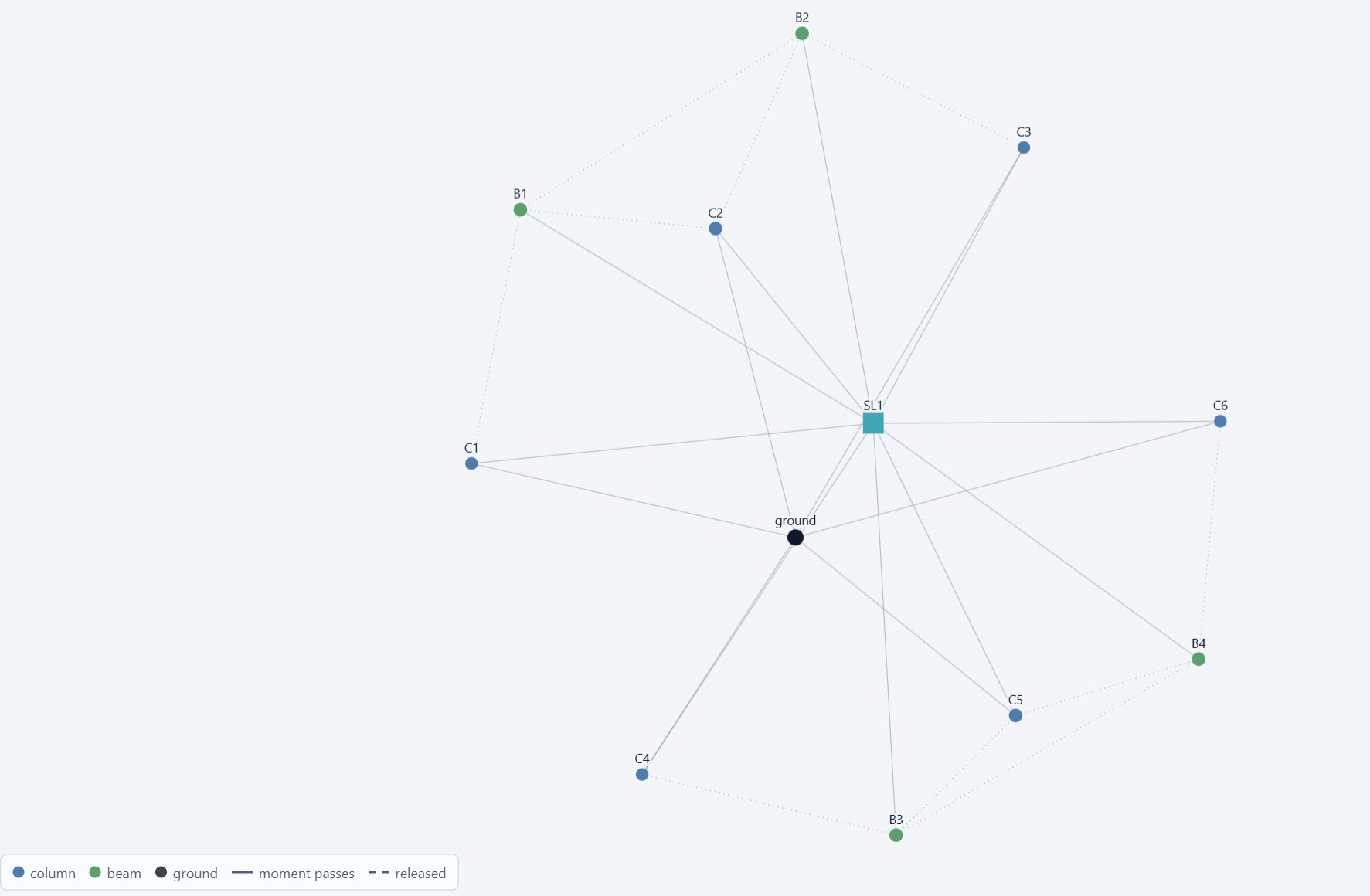
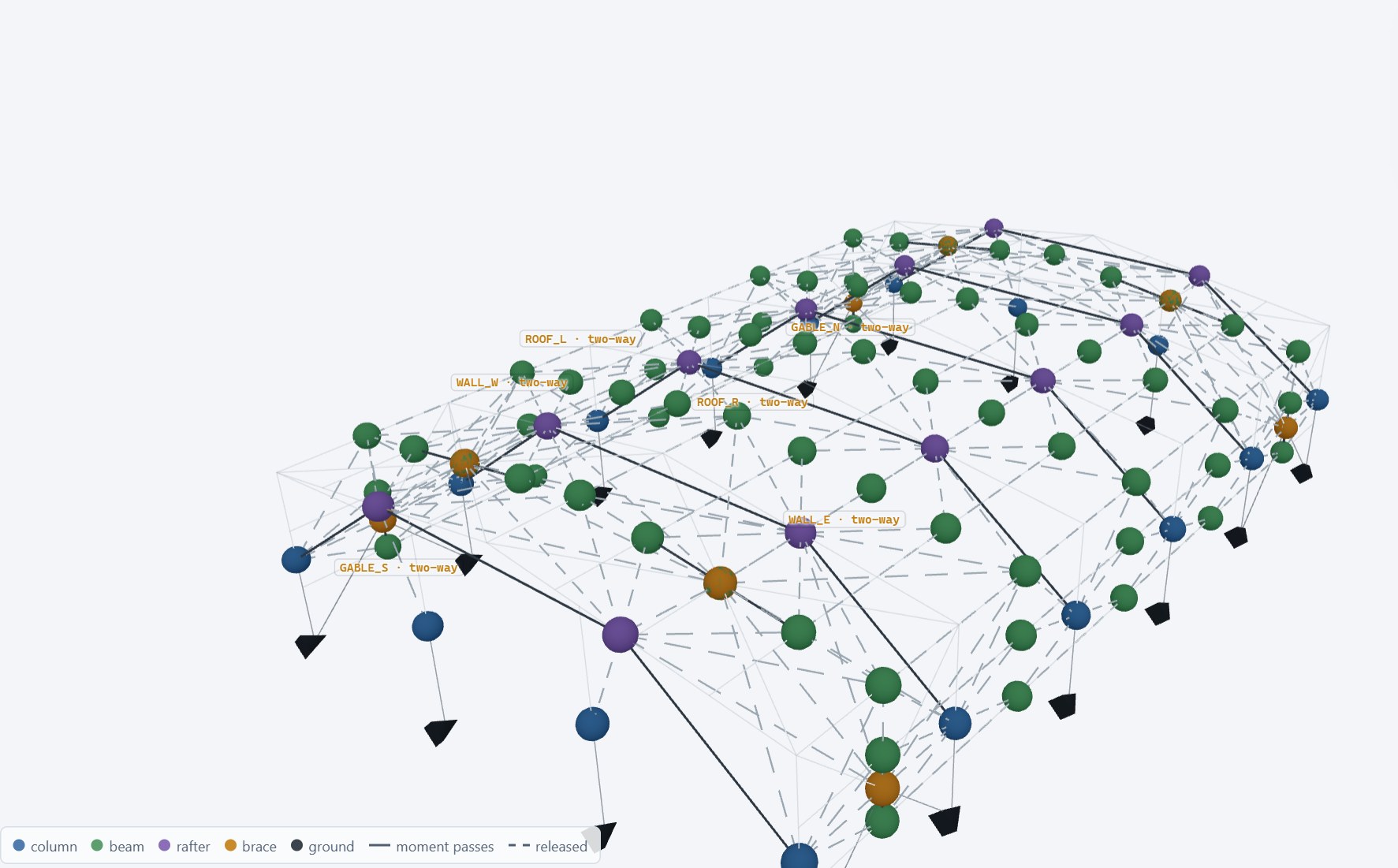
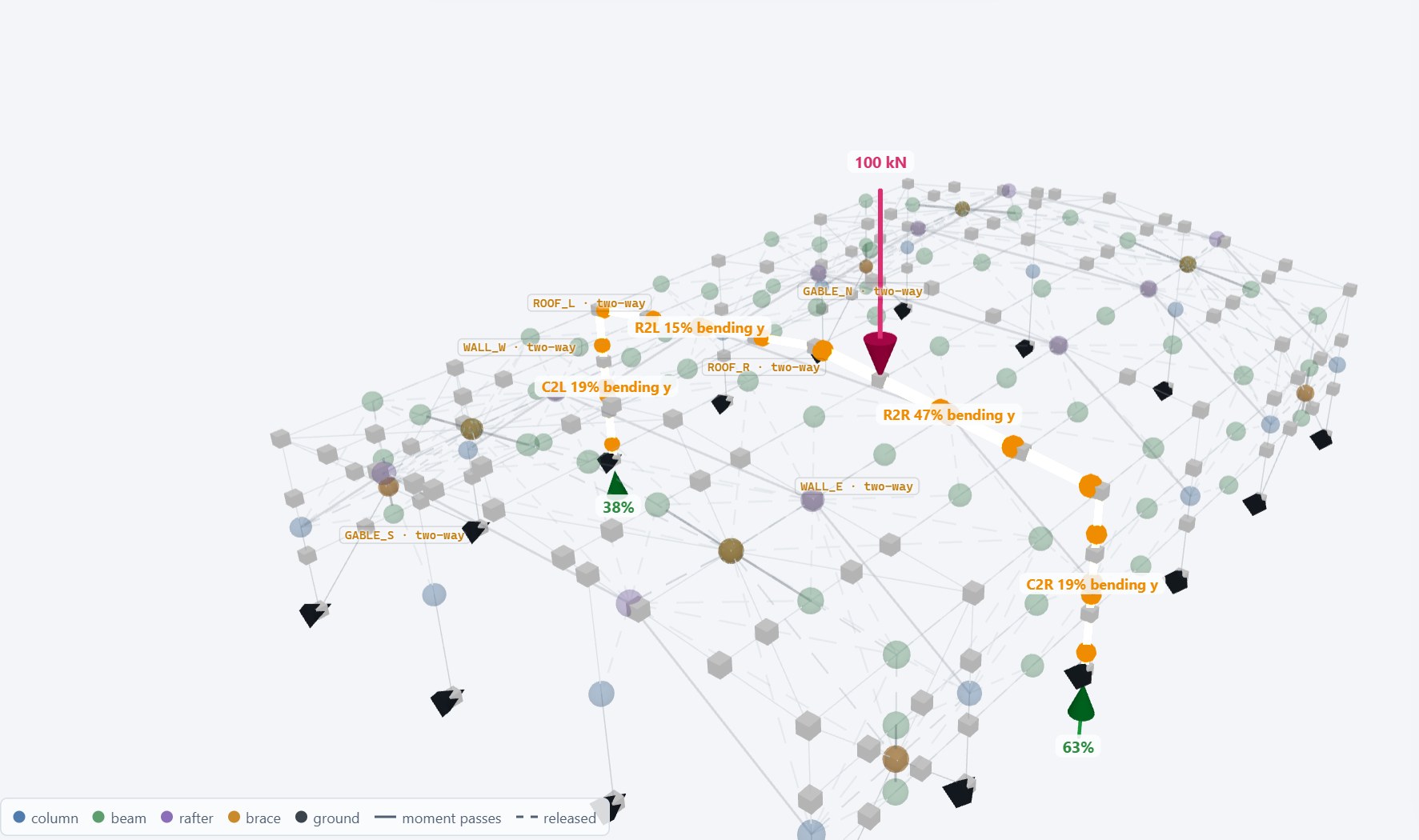
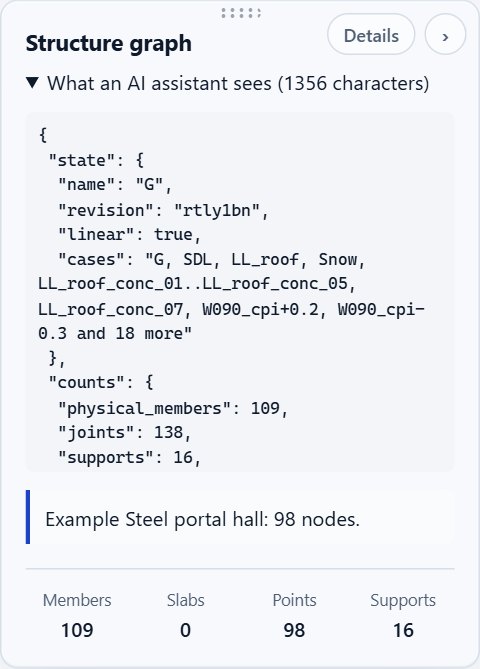
- Readable: the graph, the model and the results as short typed text, so an assistant answers from the data, not from a picture.
- Changeable: every edit, yours or an assistant's, is one typed command with an undo step; you check and Apply.
- Connected: the built-in assistant, or ChatGPT, Claude and Gemini through the connector.
More: the graph guide and a model an AI can read.
The built-in assistant: it decides first
Describe an edit or ask a question. A decision model picks what you mean in a fraction of a second; you check the proposal and press Apply, one step to undo. Measured on 82 graded requests: 81 right, questions about your model and results answered in under half a second. The full scorecard.
OpenAI Decisions API
The default and the most accurate: 81 of 82 graded requests right, about 0.4 s per decision.
Needs: An OpenAI key
Gemini Decision 1
Google's decision model: real probabilities, about 0.3 s per decision.
Needs: A Gemini key (Google AI Studio)
Jev (TypeSafe)
The fastest: about 0.17 s per decision. Pair it with OpenAI or Gemini for the writing.
Needs: A Jev key
- In the app, open Account › AI assistant and paste your key. It is stored encrypted in your account and used only on our server for your requests.
- In the assistant's settings choose Quick and who decides.
- Ask. For example:
- Pin every column base and make the roof beams IPE300
- What is the buckling length of C1?
- Select all members over 0.8 utilisation
- A simply supported 6 m beam, C24, 0.6 m spacing, 1 kPa dead and 3 kPa live, then optimise
Step by step: the assistant guide.
Plans
Free
Now, early access- The editor in the browser and on your phone
- Analysis and design checks with the Nextra Design engine
- The assistant with your own AI key
- Connect ChatGPT, Claude or Gemini
Pro
Coming soon- More projects, storage and cloud analyses
- AI tokens included, with packs for busy months
- Monthly or yearly; a 30-day trial
Education
Coming soon- Free for students and teachers
- Twelve months at a time
Free while in early access. Paid plans are coming soon; what is in them and their prices will be announced here first, and nothing changes for an account without your say.
Connect your AI assistant
Add a custom connector in ChatGPT, Claude or any MCP client with this address, then sign in with your Nextra account and choose what it may do:
https://structuralweb.nextra.studio/mcp
The assistant works as you, with your limits. You can disconnect every assistant at once on your app account page. Step by step for Claude, ChatGPT, Gemini and your phone: Install and connect.
Your models stay yours
Projects and files are encrypted with a key that belongs to your account. Our staff and administrators see account information such as storage used, never your projects or files. See the nextra.structuralweb terms and the privacy policy.