 Nextra
How-to20 Nov 2026
The structuralweb assistant, measured: 81 of 82 right, questions answered in under half a second
We test the assistant like the analysis engine: fixed requests with exact answers. The scorecard: accuracy and speed of three decision providers, questions answered from your model and results, workflows, and what it still gets wrong.
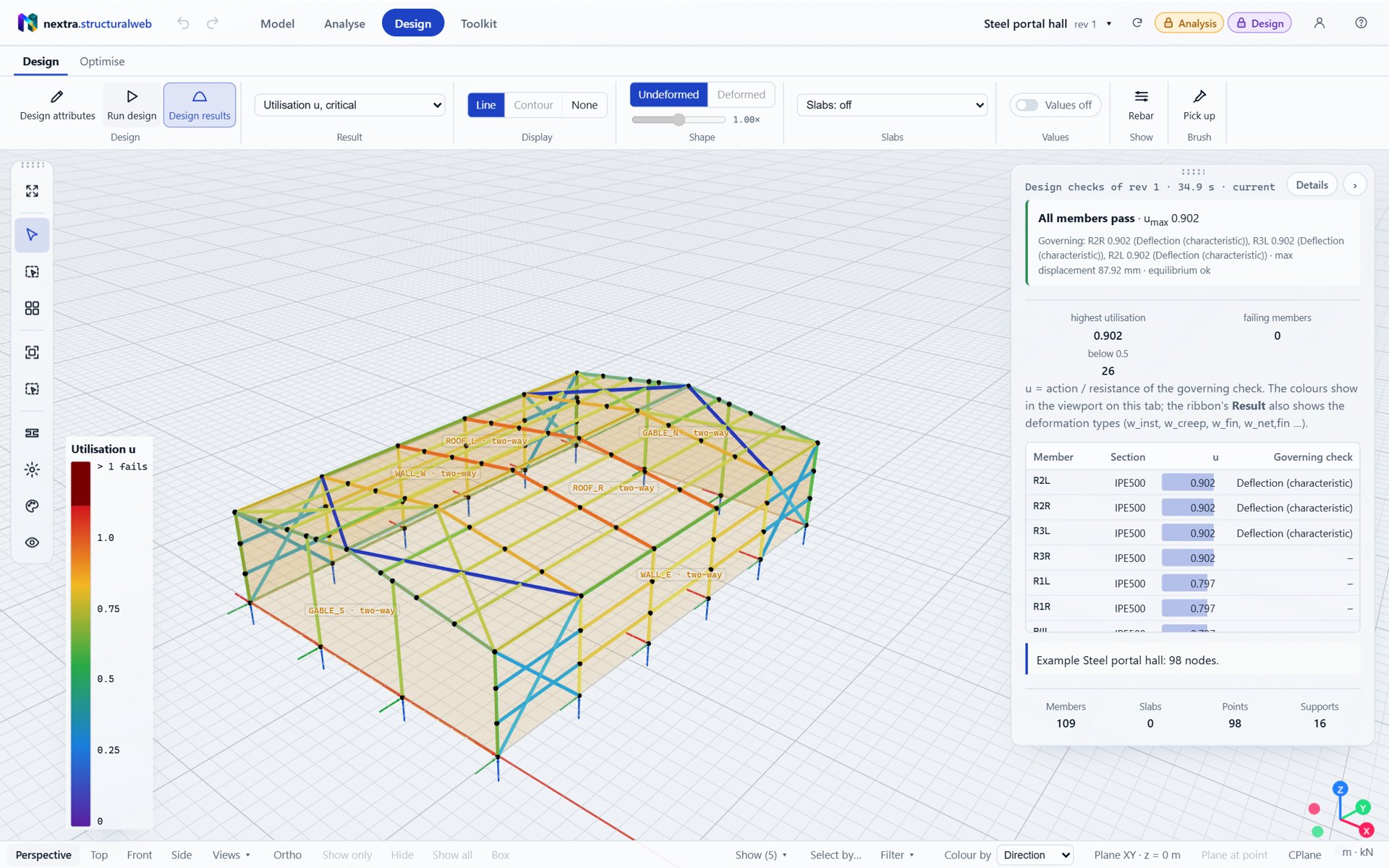
The assistant in nextra.structuralweb turns a sentence into a change to your model: pin all column bases, 4 kN/m down on B1, what is the buckling length of C1? We test it the way we test the analysis engine: with a fixed set of requests and an exact answer for each. This post is the scorecard. (The picture above: the Steel portal hall example after the design checks; every member passes, the highest utilisation 0.902.)
#How we measure
- 82 graded requests, written once and kept fixed. 20 of them were written afterwards and never used for tuning.
- Two models: a two-bay portal frame, and a five-storey frame with 435 elements.
- Every kind of edit: points, members, slabs, supports, loads, sections, materials, moves and copies, settings, the view, several changes in one sentence, and requests that should get a question back.
- Graded by code, not by a person or another AI: the right elements, the right values, nothing else changed.
- On top: your real sentences from using the app, with typos, follow-ups (make it 50 instead, also do B2) and whole workflows (a simply supported 6 m beam, C24, 0.6 m spacing, 1 kPa dead and 3 kPa live, then optimise).
#The results
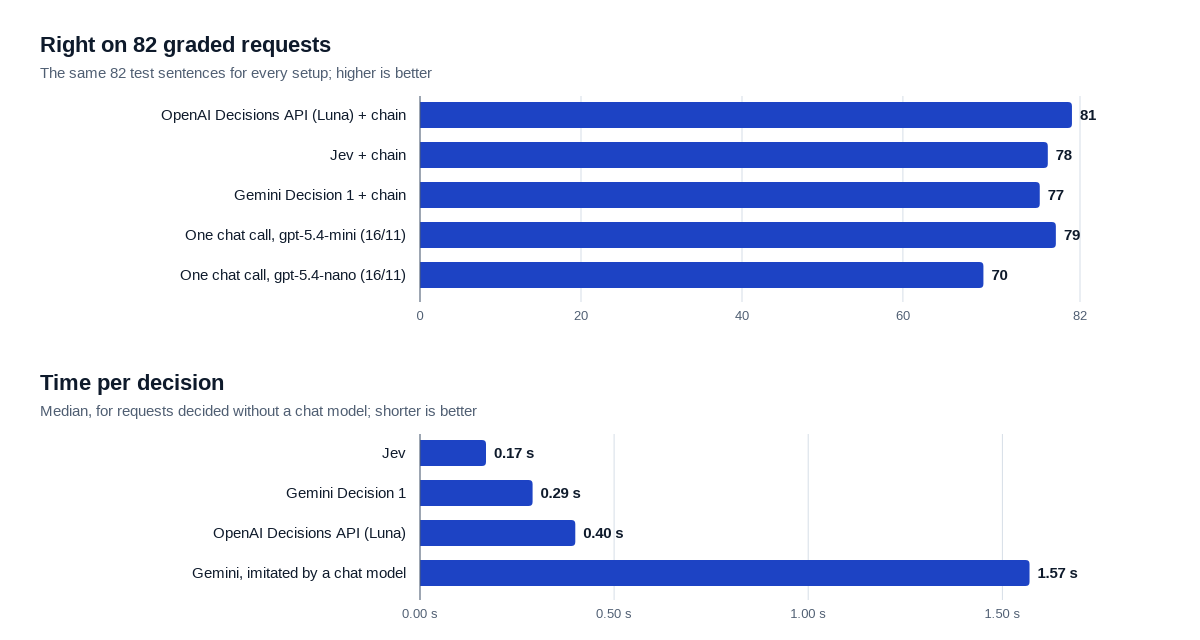
| Setup | Right (of 82) | Median per request | Decided in about |
|---|---|---|---|
OpenAI Decisions API (gpt-6-luna), the default |
81 | 0.66 s | 0.40 s |
| Jev (TypeSafe) | 78 | 0.33 s | 0.17 s |
| Gemini Decision 1 (Google) | 77 | 0.48 s | 0.29 s |
One chat call with every tool, gpt-5.4-mini (16/11) |
79 | 1.12 s | |
One chat call with every tool, gpt-5.4-nano (16/11) |
70 | 1.22 s |
- About two thirds of the requests need no chat model at all: the decision step alone gets them right in well under half a second.
- On all 115 requests (the 82, your real sentences and the new questions), the default setup gets 113 right.
- It is cheap: the decision step costs about $0.0002 a request.
#Questions get answers, in under half a second
Since this week the assistant also answers questions about your model and your results straight from the data, with no chat model in between. 18 new graded questions: 18 / 18 right, median 0.46 s.
| You ask | You get |
|---|---|
| How many columns are there? How tall is the building? How many slabs per floor? | the count or the size |
| What is the buckling length of C1? Is LTB checked on B3? What are the end conditions of B1? | that member's setting |
| What is the weight of an IPE300? Properties of HEA200? | kg/m, area, I and W |
| What is fy of S355? E of GL24h? | the standard (EN) values |
| What is the highest utilisation? Which members fail? Maximum deflection? | from your latest run |
| Select all members over 0.8 utilisation, select every IPE300, select all pinned-end beams | the selection in the view |
On the 82 graded requests this alone took the score from 74 to 81.
#Workflows and real sentences
| What we tried | Result |
|---|---|
| Beam workflows (span vs spacing, dead vs live in any order, then optimise) | right in every test; decided in 0.2-0.5 s |
| A workflow plus another change (add wind, and make B1 IPE360) | both changes kept |
| Your sentences from 19/11, after the fixes | 9 / 9 |
| LLM mode, five different changes in one request | 1 turn and about 5 s (was 5 turns and 22.7 s) |
#Three providers, one choice in the settings
All three decision providers ran on the same 115 requests with the same chat models:
- OpenAI's Decisions API is the most accurate, so it stays the default.
- Jev is the fastest: 0.17 s per decision.
- Gemini Decision 1 gives real probabilities too. Before it existed we imitated a decision with a Gemini chat model: 71 / 82 at 1.6 s. The real API scores 77 at 0.3 s.
#What it still gets wrong
- Select the critical element when there are no results yet: it asks instead of running the checks first. A "check and select the worst" workflow is next.
- Gemini Decision 1 sometimes picks too many elements (pin the column bases also pinned the roof joints). It has not been tuned yet; Luna has.
- Reactions are not in the app's results yet, so what is the biggest reaction? waits for them.
Every edit is a proposal you can check before Apply, and one step to undo.
#Try it
- Open nextra.studio/structuralweb and sign in (free while in early access).
- Account > AI assistant: paste your OpenAI key, or a Gemini or Jev key. It is stored encrypted in your account and is used only on our server for your requests.
- In the assistant's settings choose Quick and who decides: OpenAI Decisions API, Gemini Decision 1 or Jev.
- Ask a question or describe an edit. The full guide: the assistant.