 Nextra
How-to20 Nov 2026
A model an AI can read: the structure graph in nextra.structuralweb
Every model is also a graph of members and connections, in 2D and 3D: push a load and watch its path, and see the 1,400 characters an AI assistant reads instead of 3D geometry.
A structural model is usually stored as geometry: points, lines, surfaces in space. That suits a drawing program and a finite element solver. It does not suit an AI assistant, which has to work out from coordinates which beam sits on which column. nextra.structuralweb keeps a second view of every model: the structure graph.
#Members as dots, connections as lines
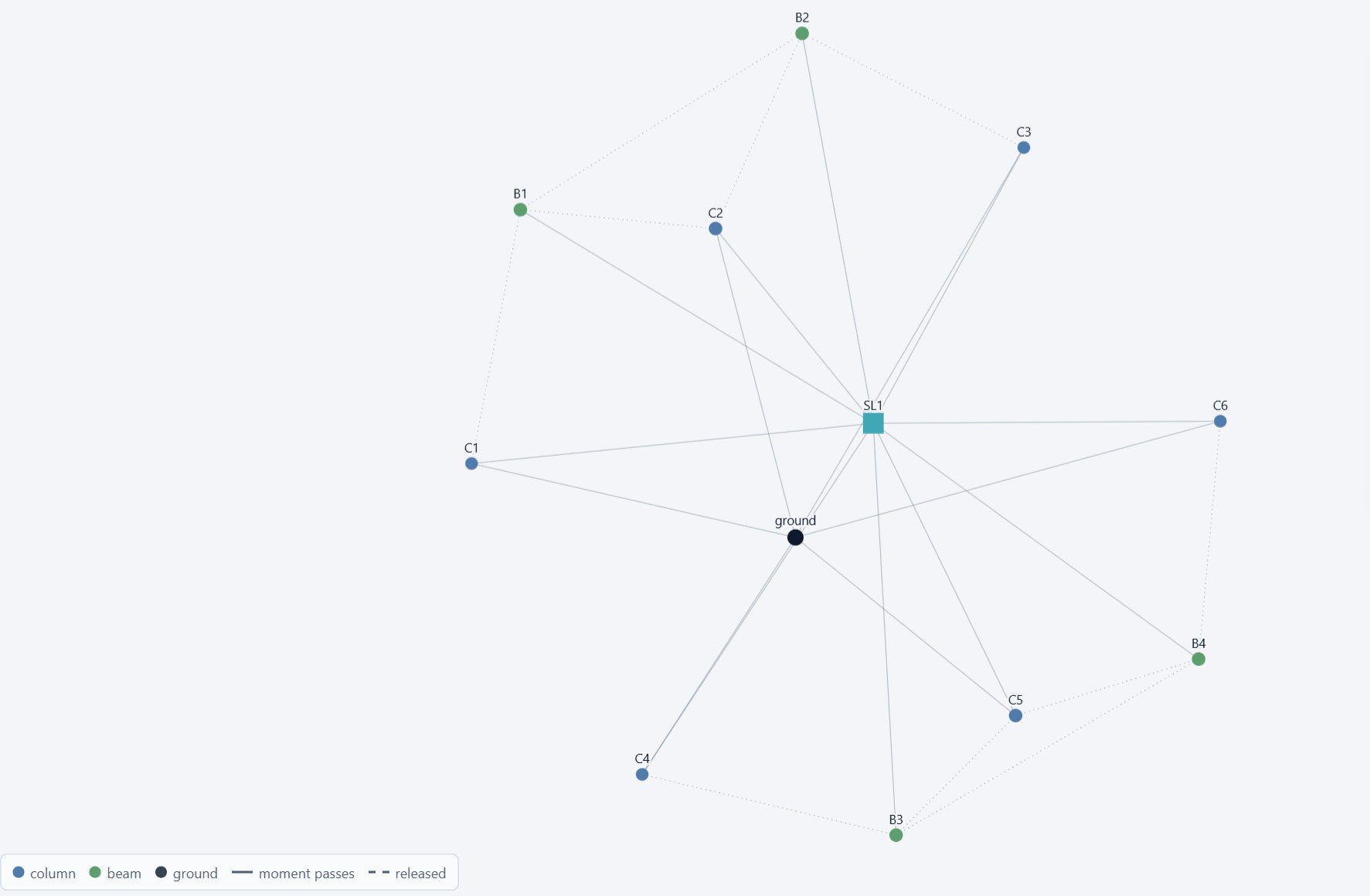
Each member is one dot, coloured by its role: column, beam, rafter, brace. Two members that share a point are joined by a line: solid where moment passes through the joint, dashed where it is released. Supports connect to the ground. Here is the sample portal frame in 2D: six columns and four beams, joined to the slab and to the ground where they meet:
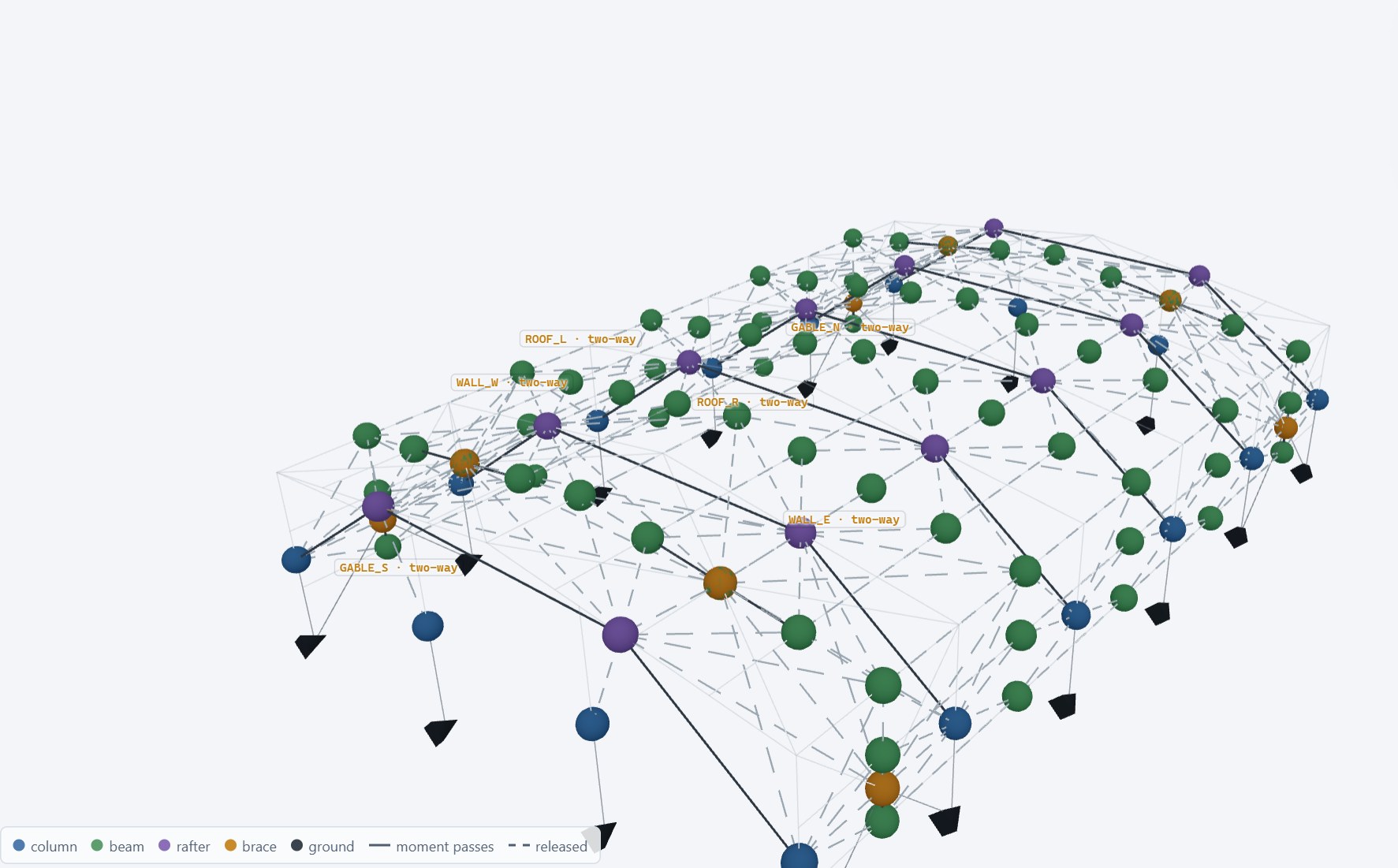
And a bigger one, the Steel portal hall (109 members), in 3D: the graph laid over the building's shape:
#Push a load and watch where it goes
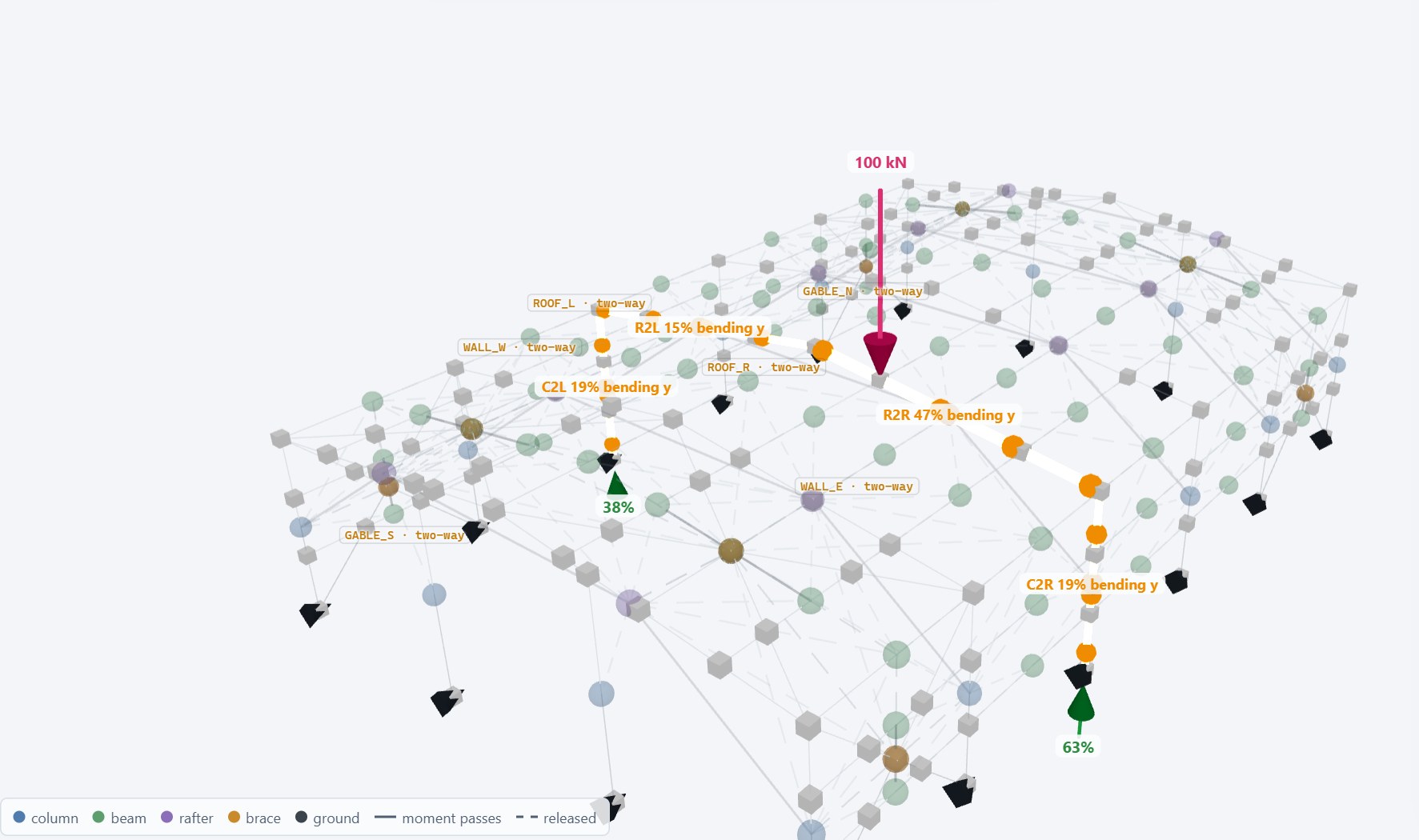
Pick a joint and push a load (here 100 kN down). The members that carry it light up with their share, and the supports that take it show their part: in this hall two supports take 63 % and 38 %. What moves it and If it goes ask the other two questions an engineer asks: which members a joint depends on, and what happens if one member is taken out.
#What an AI assistant sees
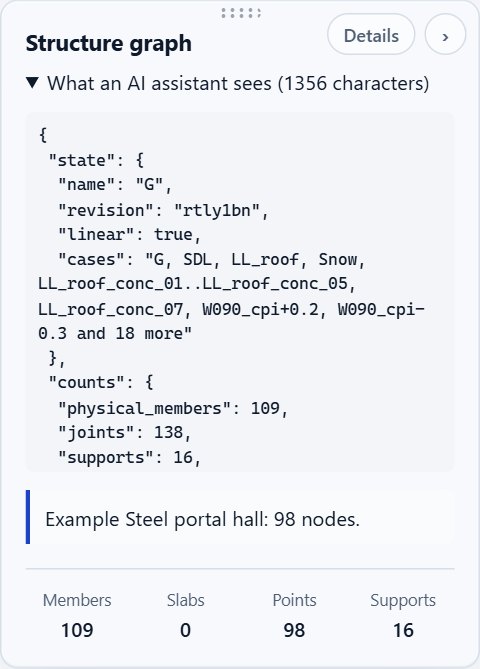
The panel's What an AI assistant sees shows the graph exactly as an assistant receives it: the hall's 109 members in about 1,400 characters. That is small enough to send with every question, and an assistant reads it the way an engineer reads the dots and lines: who connects to whom, where moment passes, where the supports are.
#Designed for AI, from the start
| Readable | the model, the graph and the results as short typed text, so an assistant answers from the data |
| Changeable | every edit, yours or an assistant's, goes through one command service: a typed operation with an undo step that you check and Apply |
| Fast | most requests are decided by typed choices in under a second (Decisions, not chat) |
| Connected | the built-in assistant, or ChatGPT, Claude and Gemini through the nextra.structuralweb connector |
#Try it
- Open nextra.studio/structuralweb, sign in, and open the Steel portal hall from Examples.
- Analyse → Graph: switch 2D / 3D, pick a joint with Push a load.
- Open What an AI assistant sees in the panel. The guide: the structure graph.