 Nextra
Nexiy and the assistant
Set up the assistant
Three ways: your own API key, your own AI command-line tool, or the desktop app.
Click Nexiy (Nexiy), choose Set up the assistant…, then the settings button (the sliders, top right of the panel). Under Connection, pick one of three ways:
| Way | Who does the thinking | You need |
|---|---|---|
| API key | the AI provider, with your key | an OpenAI, Gemini, Claude or Jev key |
| CLI | your own AI command-line tool and its subscription | Claude Code, Codex or Gemini CLI installed |
| Desktop app | Claude or ChatGPT on your desktop | the NextraRhinoGh plug-in in that app (see Install) |
#1. API key
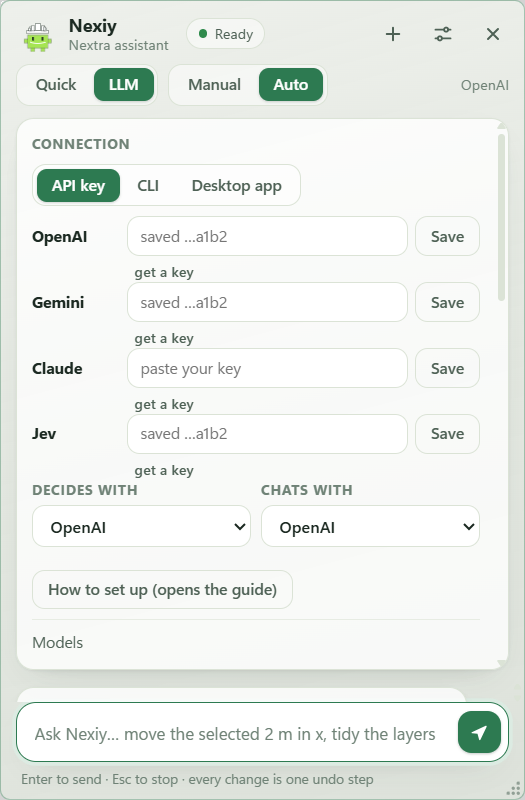
- Paste a key next to OpenAI, Gemini, Claude or Jev and press Save. get a key opens the provider's key page.
- Decides with: the model that picks what to do in Quick mode (OpenAI, Gemini or Jev).
- Chats with: the model for LLM mode and for the parts a decision can't choose (OpenAI, Gemini or Claude). Jev only decides; it can't chat.
Which key?
- One key for everything: OpenAI.
- Fastest: Jev to decide, plus an OpenAI, Gemini or Claude key to chat.
- Fewest chat calls: Gemini.
You can also save keys with the Rhino command NextraDecisionApi.
#2. CLI
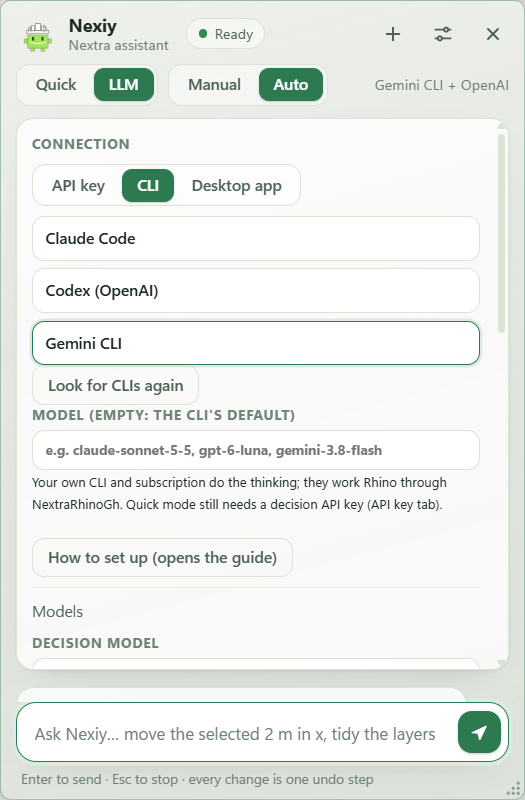
Your own AI command-line tool does the work through NextraRhinoGh, in the same chat panel. No API key is needed for LLM mode: the CLI uses your own sign-in and subscription.
Install one and sign in once in a terminal:
CLI Install Version Claude Code npm install -g @anthropic-ai/claude-code, thenclaudeand sign in2.1.300 or newer Codex (OpenAI) npm install -g @openai/codex, thencodex login0.170 or newer Gemini CLI npm install -g @google/gemini-clithe latest. With a Gemini key saved under API key, the CLI uses that key Update an older one with the same
npm install -g …command.In the panel: CLI, then pick the CLI. Look for CLIs again if you installed one with Rhino open.
Model (optional): empty uses the CLI's default, for example
claude-sonnet-5-5,gpt-6-lunaorgemini-3.8-flash.
Quick mode still needs a decision key (API key tab). Without one, the panel stays in LLM mode.
#3. Desktop app
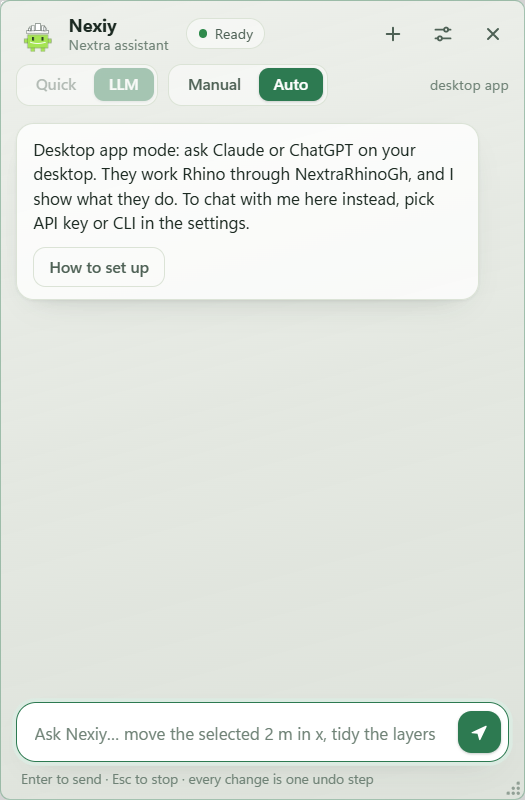
You chat in Claude or ChatGPT on your desktop, with the NextraRhinoGh plug-in installed there. The panel then only shows how to connect, and Nexiy shows when they work in Rhino.
Last updated 20 Nov 2026