 Nextra
Nexiy and the assistant
Settings, skills and connectors
The settings, skills, connectors, Nextra Design and where your keys are kept.
The settings button (sliders icon) opens the settings. They scroll.
- Connection: API key, CLI or Desktop app (above).
- Models: the decision model and the chat models.
- Decide at: how sure the decision model must be before Quick acts (default 0.60). Below that, it asks you.
- Nexiy liveliness and Nexiy speed: as in Nexiy's menu.
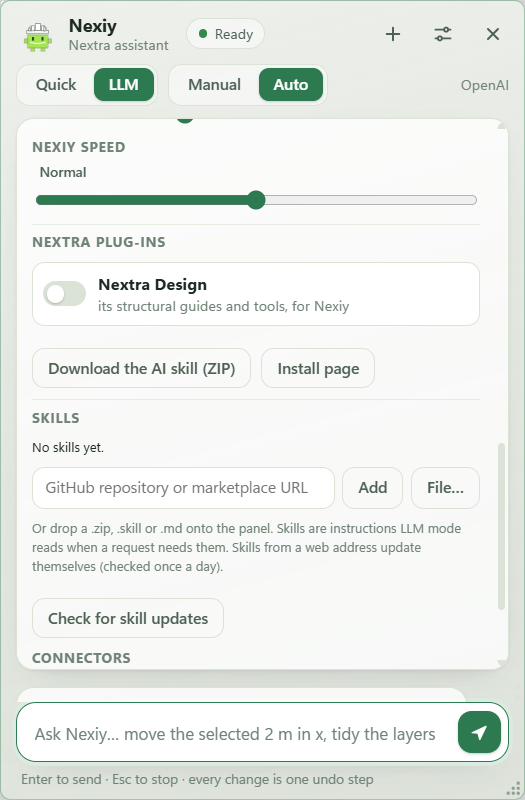
#Skills, connectors and Nextra Design
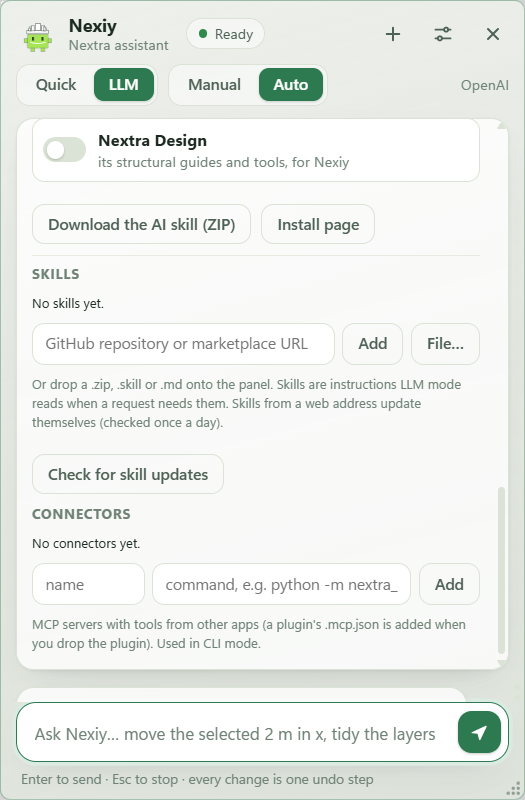
- Skills are instructions LLM mode reads when a request needs them. Add one by a GitHub repository or marketplace URL,
with File…, or drop a
.zip,.skillor.mdonto the panel. Skills from a web address update themselves (checked once a day); Check for skill updates checks now. Switch a skill on or off, or remove it with ×. - Connectors are MCP servers with tools from other apps (name + command). Dropping a plug-in with a
.mcp.jsonadds its connector. Connectors are used in CLI mode. - Nextra Design (off by default): switch it on and Nexiy gets Nextra Design's structural guides and tools, from the official skill at nextra.studio/tools/design/install. It updates itself. Download the AI skill (ZIP) gets the same skill for your own AI app; Install page opens the install guide.
#Keys and privacy
- Keys are stored by your operating system: Windows encrypts them for your user account, a Mac keeps them in the Keychain.
- A key goes only from your computer to the provider it belongs to. It is never written to logs, to the model, to Nextra or to the page.
- The panel shows only the last 4 characters of a saved key.
- In CLI mode the CLI uses its own sign-in. Your requests go to that CLI's provider, as when you use it in a terminal.
Last updated 20 Nov 2026