 Nextra
Getting started
Nextra.fem overview
What Nextra.fem is, what it covers and how a definition is built.
Nextra.fem is a finite-element plug-in for Grasshopper in Rhino 8, on Windows and Mac. It is made for the early design: you build the structure from Grasshopper geometry, and the deflections, forces and utilisations follow every change of a slider.
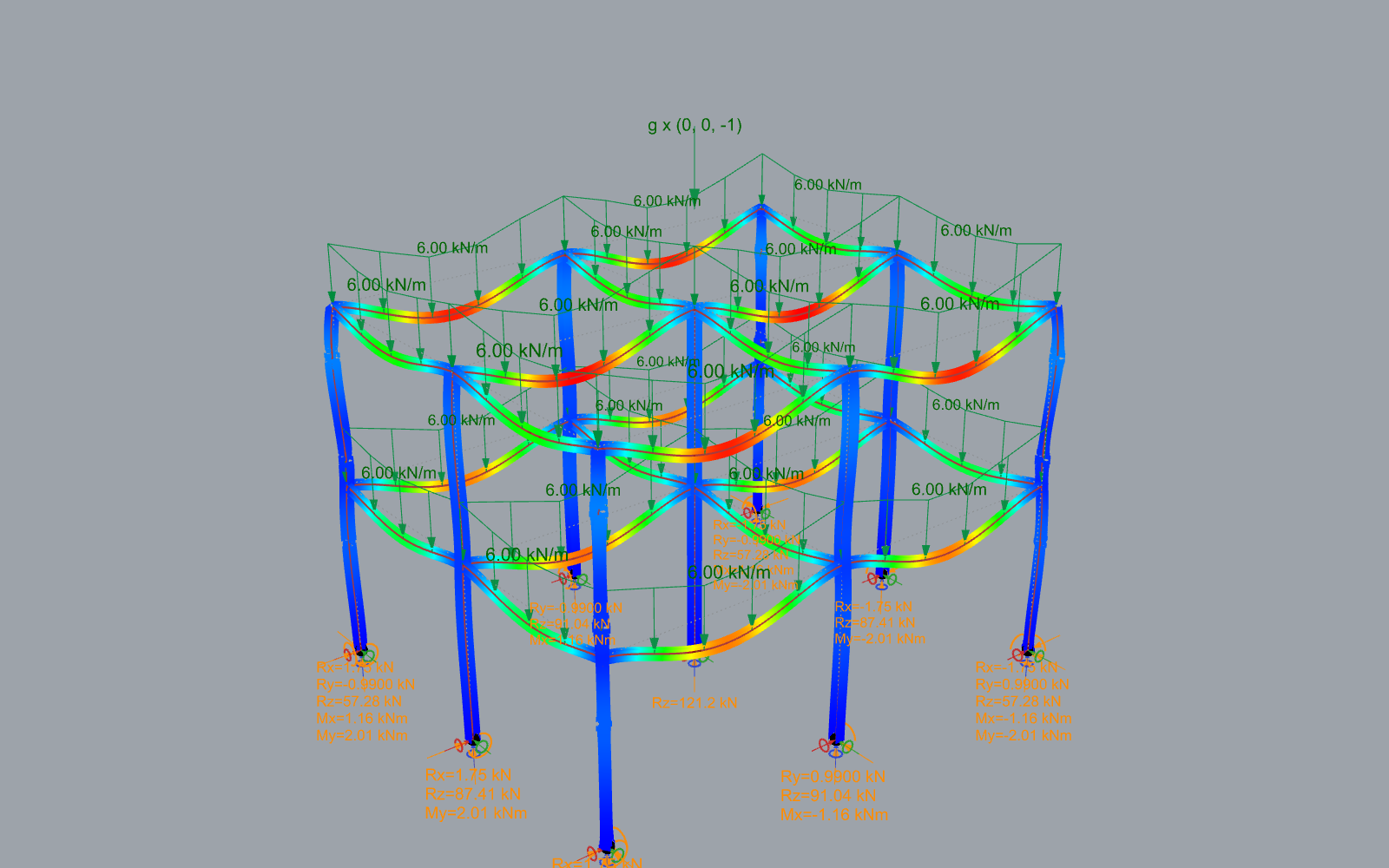
#How a definition is built
Every step is a Grasshopper component in the Nextra.fem tab:
- Elements. Element 1D turns lines into beams, Element 2D turns a mesh into shells. Each gets a material and a section.
- Supports and loads. Support fixes points. Load Case sets up the cases (name, category, duration); Basic Load, Beam Load and Shell Load add self weight, line loads and pressures to them.
- Assemble Model joins everything into one model. Auto Load Combinations adds the EN 1990 combinations.
- Analysis. Linear, Non-Linear, Buckling Analysis or Eigen Solver.
- Results. Model View draws the deformed shape, the loads and the reactions. Pass its output on to Beam View or Shell View for contours, and to a design component and Design View for utilisations.
#What it covers
| Area | What is there |
|---|---|
| Elements | Beams and trusses (Element 1D), shells, plates and membranes (Element 2D), end releases, edge hinges, springs |
| Libraries | European I, H, hollow and rectangular sections; steel, concrete, softwood, glulam, LVL and hardwood (D18 to D70) |
| Loads | Self weight, point, line, partial, prestress and surface loads; EN 1990 combinations |
| Analysis | Linear static, tension/compression-only, P-Delta, linear buckling, modal, form finding |
| Design | EC3 steel members, EC5 timber members, EC2 concrete beams, columns and slabs |
| Platforms | Rhino 8 on Windows and Mac |
#Units
Choose the units in Global Settings (Units): metres and kN (default) or millimetres and N. Every definition remembers the units it was made in, and Assemble Model warns when they differ from the current choice or from the Rhino document. In m and kN, moments are in kNm, line loads in kN/m and pressures in kN/m²; in mm and N they are Nmm, N/mm and N/mm².
Hover over any input or output to see its unit in brackets. The units follow the choice in Global Settings and change when you switch: for example E is [kN/m²] or [N/mm²], a line load [kN/m] or [N/mm], and the Beam Forces outputs Normal Force [kN] or [N]. Some values always have the same unit, whatever you choose:
| Value | Unit |
|---|---|
| Concrete cover, bar diameter (EC2) | [mm] |
| Reinforcement area (EC2 results) | [cm²] |
| E and G on the EC3 component | [MPa] |
| Rotation of a section, angles | [°] |
| Thermal expansion coefficient | [1/K] (the same per °C) |
| Frequency, time | [Hz], [ms] |
| Factors (γ, k_mod, k_y, ψ, ...) | [-] |
#Where to go next
- Install the plug-in.
- Build your first model.
- Place one of the examples and change it.
Last updated 9 Nov 2026