 Nextra
 Install Nextra.fem
About 2 minutes from download to your first analysis.
- Rhino 8 (Windows or Mac)
- Grasshopper
Install the plug-in in Rhino
- In Rhino, type PackageManager and press Enter.
- Search for nextra-fem and click Install.
- Restart Rhino and open Grasshopper. The components are in the Nextra.fem tab.
Open an example
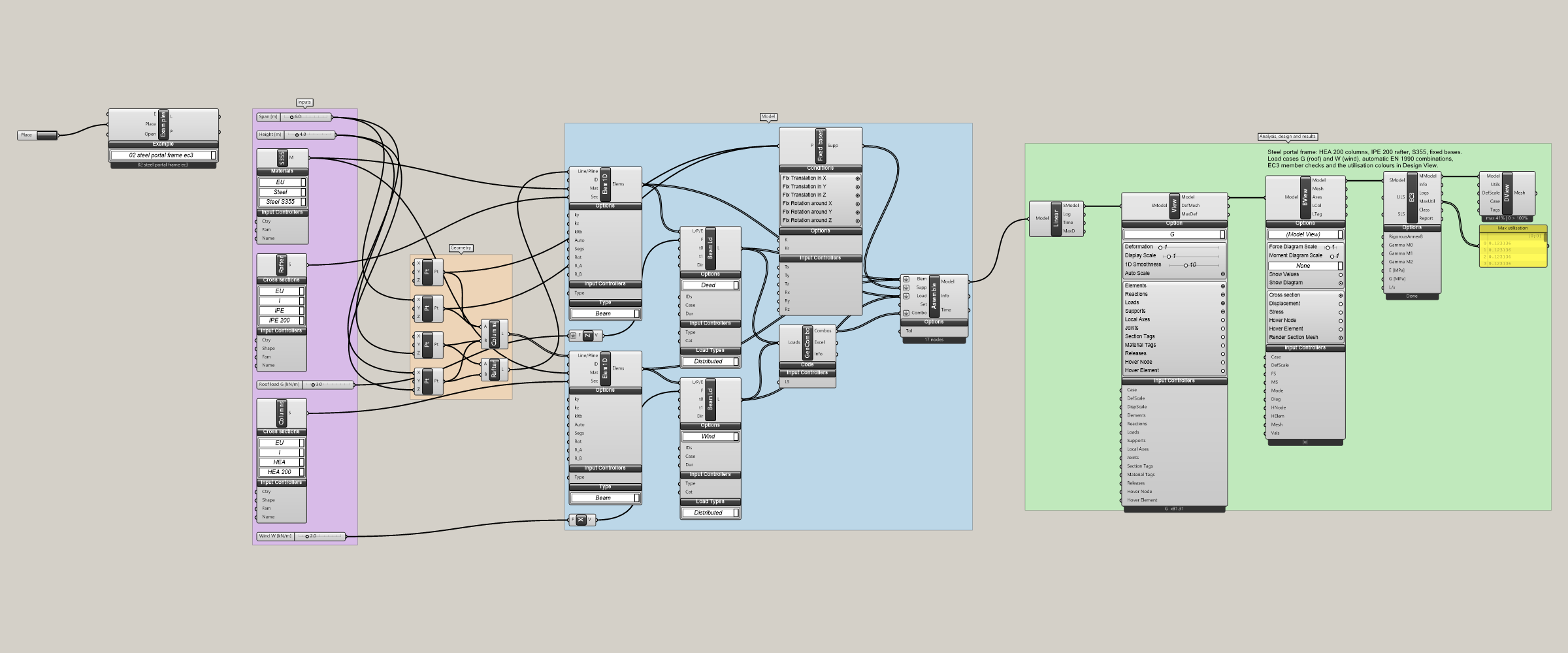
- Put the Examples component (Nextra.fem tab, 01.Model) on the canvas and connect a Button to Place.
- Pick an example in its list and press the button. The definition appears next to the component and runs at once.
If something does not work
nextra-fem is not found in the Package Manager
Update Rhino 8 (Help, Check for Updates) and search again.
The Nextra.fem tab is missing in Grasshopper
Restart Rhino after the install. Check that nextra-fem is listed as installed in the Package Manager.
Mac: something looks wrong
The Mac version is new. Please report it on the issues page with a screenshot.
How do I update?
Update nextra-fem in the Package Manager and restart Rhino.
How do I remove it?
Uninstall nextra-fem in the Package Manager.