 Nextra
The add-ons
Section modifier
Set the width and/or depth of rectangular member sections.
 Set the width and/or depth of rectangular member sections.
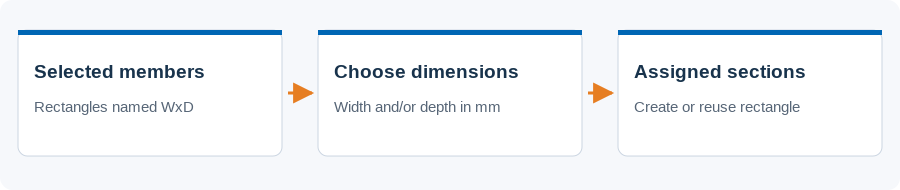
#How to use it
- Select the target beam, rib or truss lines, or their members.
- Open N. Section Modifier. Tick Modify Width and/or Modify Depth.
- Enter the new dimension in millimetres. An unticked dimension is retained according to the existing section-name convention.
- Press OK and review the modified count. Inspect the assigned sections in AxisVM.
#Dialog
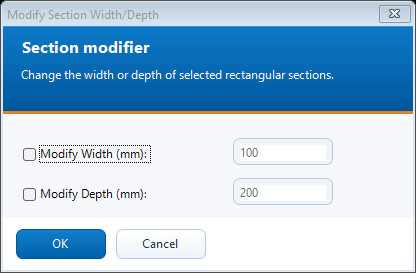
The screenshot is an offline preview with synthetic inputs. It is not a model-analysis result.
#Good to know
This tool creates or reuses rectangular sections named WxD, such as 100x200. The unchanged engine reads the retained dimension from that name; if it cannot parse it, it uses a 100 mm fallback. It does not select the next IPE/HEA profile or edit arbitrary section shapes. Use it only with the intended rectangular-section convention.
Last updated 25 Oct 2026