 Nextra
The add-ons
One-way load panels
Choose how a panel spans and which beams receive its load.
 Choose how a panel spans and which beams receive its load.
#How to use it
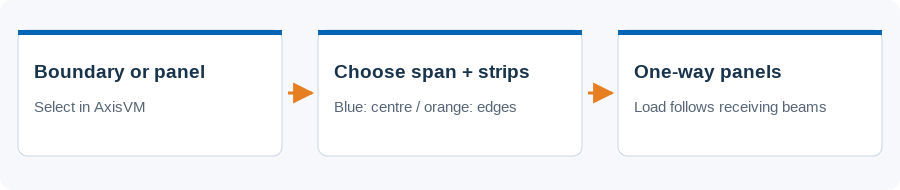
- Select existing load panels to convert, or select closed boundary lines to create new panels. Open N. One-Way Load Panel.
- Choose Auto - shorter span, Auto - longer span, Global X/Y, or an explicit angle. Auto follows the bay edges, including rotated bays.
- Choose whether to split edge strips and enter their width in millimetres. Check the diagram: blue supports receive the centre load; orange edge beams receive the strips.
- Set the angle tolerance for receiving members. When creating panels, optionally choose a load case and enter the area load. Press Create or Convert and read the report.
#Dialog
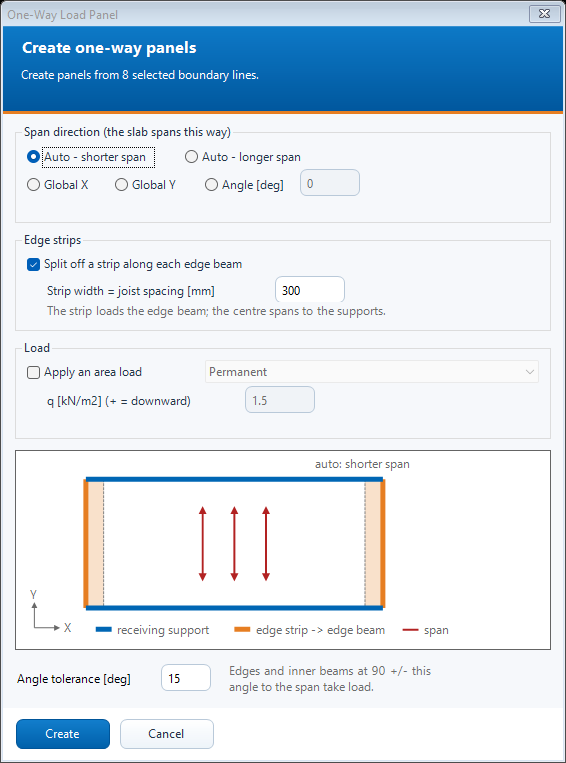
The screenshot is an offline preview with synthetic inputs. It is not a model-analysis result.
#Good to know
The direction is the span direction. Receiving beams run at 90 degrees plus/minus the tolerance to it, including eligible interior beams. Edge strips require a suitable four-sided bay; unsupported shapes are reported or fall back according to the existing builder. Positive area load in the dialog means downward.
Last updated 25 Oct 2026