 Nextra
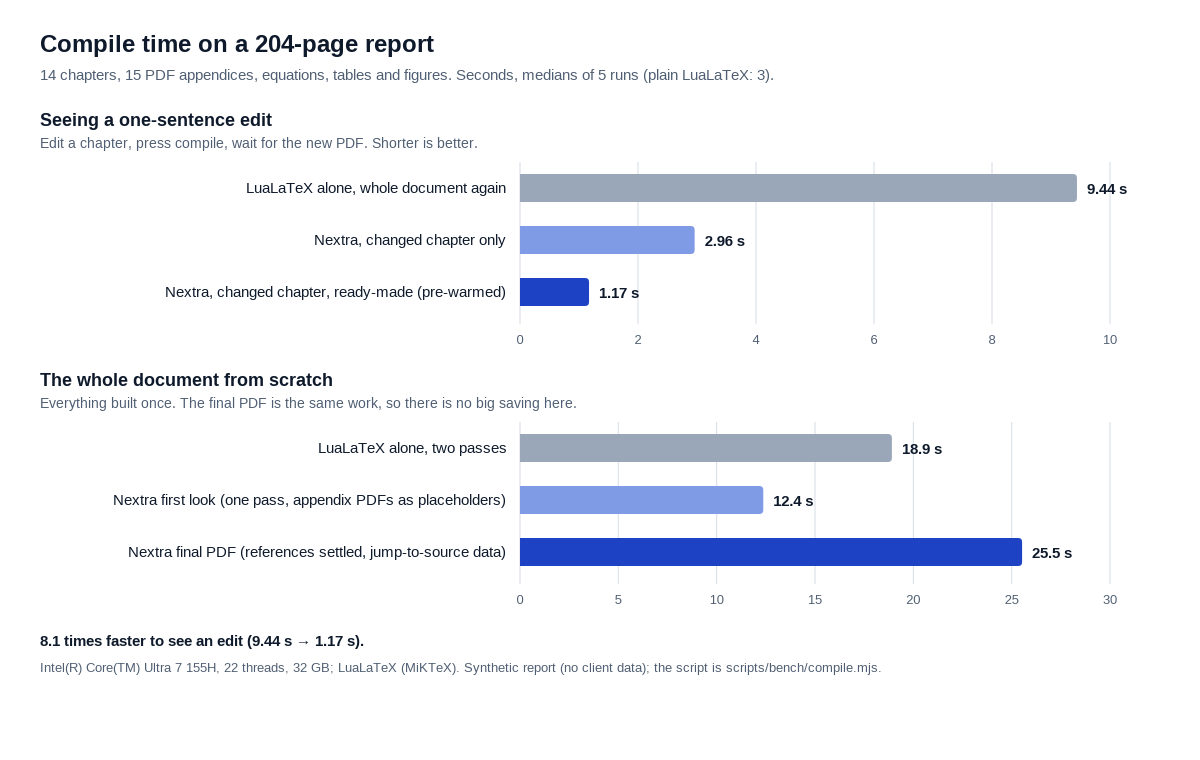
8.1× faster
See an edit in about a second
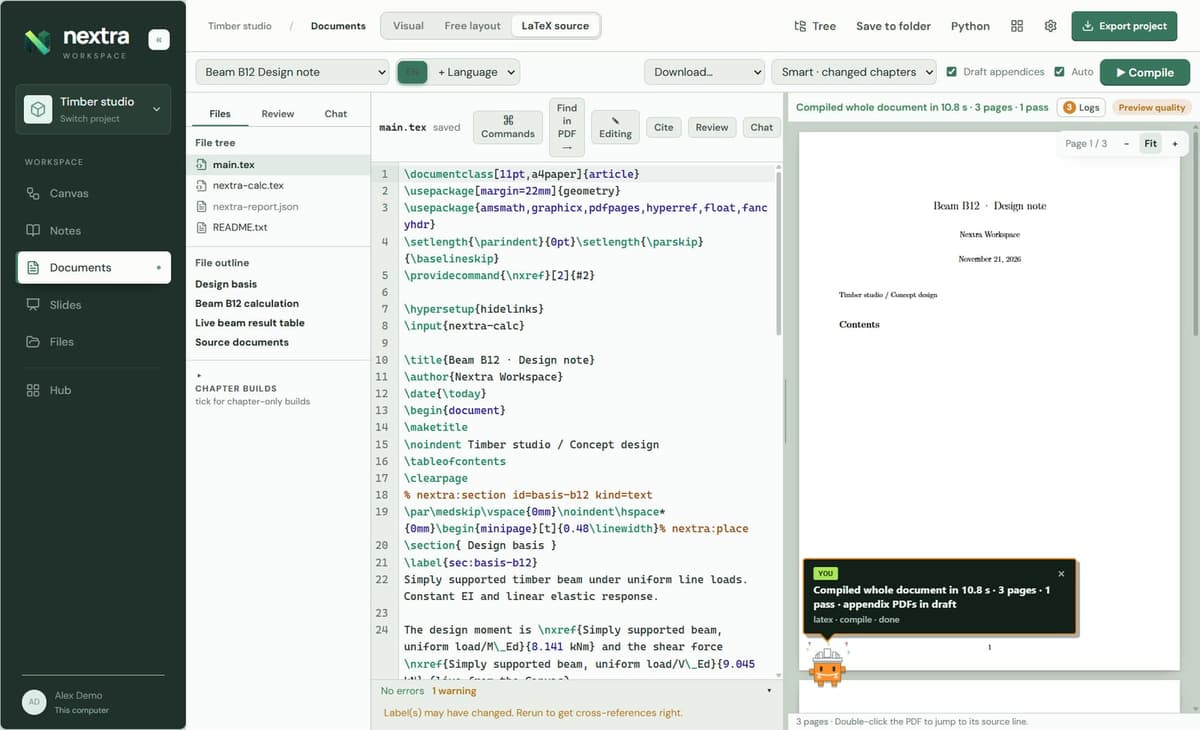
On a 204-page report a one-sentence edit shows in the PDF in 1.17 s, against 9.44 s for plain LuaLaTeX building the whole document again.

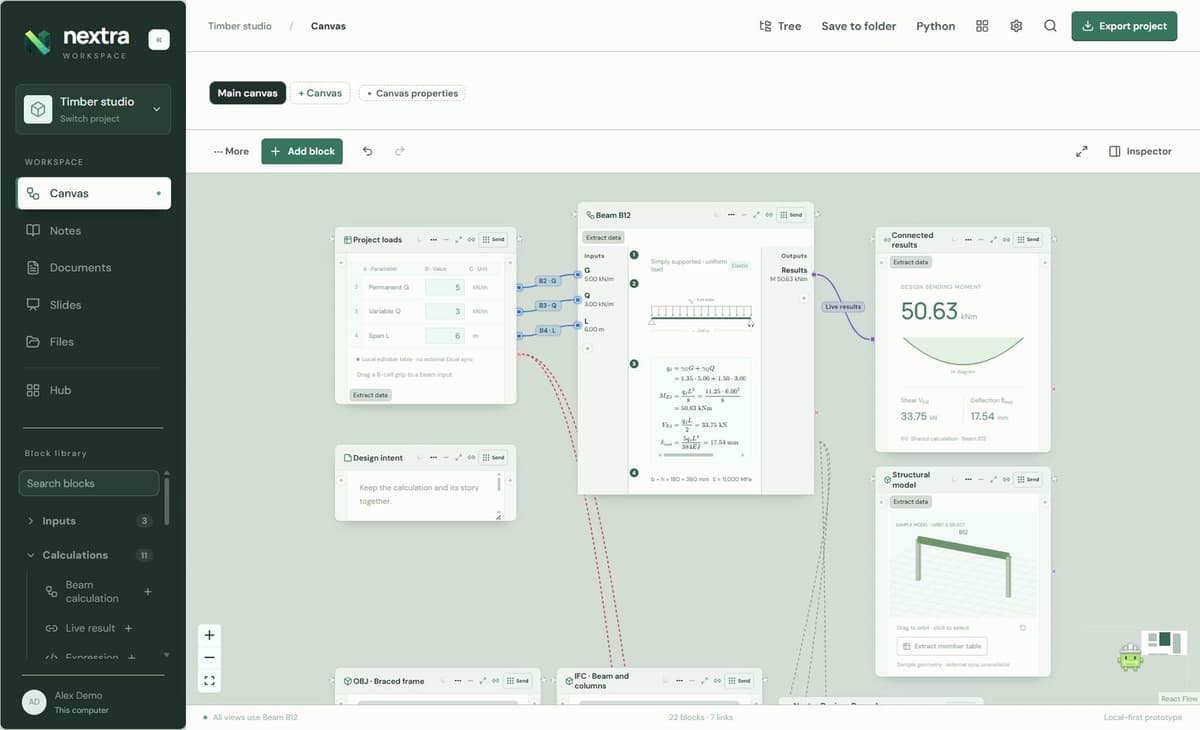
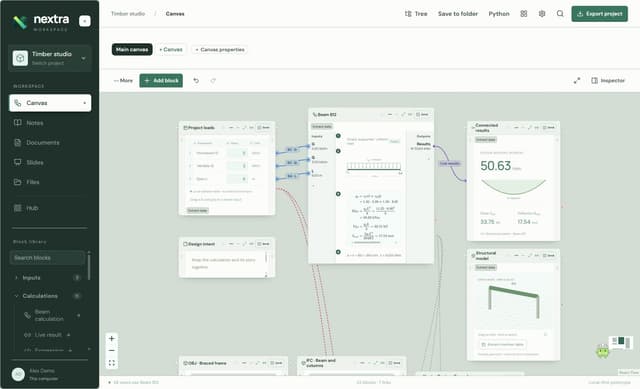
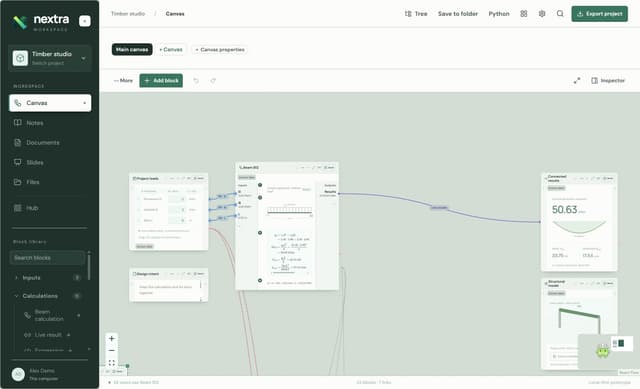
Nextra Workspace is the hub of the Nextra tools: a canvas where calculation cards, engines, spreadsheets and 3D models are wired together, and a report that reads their live values and compiles to LaTeX in about a second. Coming soon.
8.1× faster
On a 204-page report a one-sentence edit shows in the PDF in 1.17 s, against 9.44 s for plain LuaLaTeX building the whole document again.
22 of 22
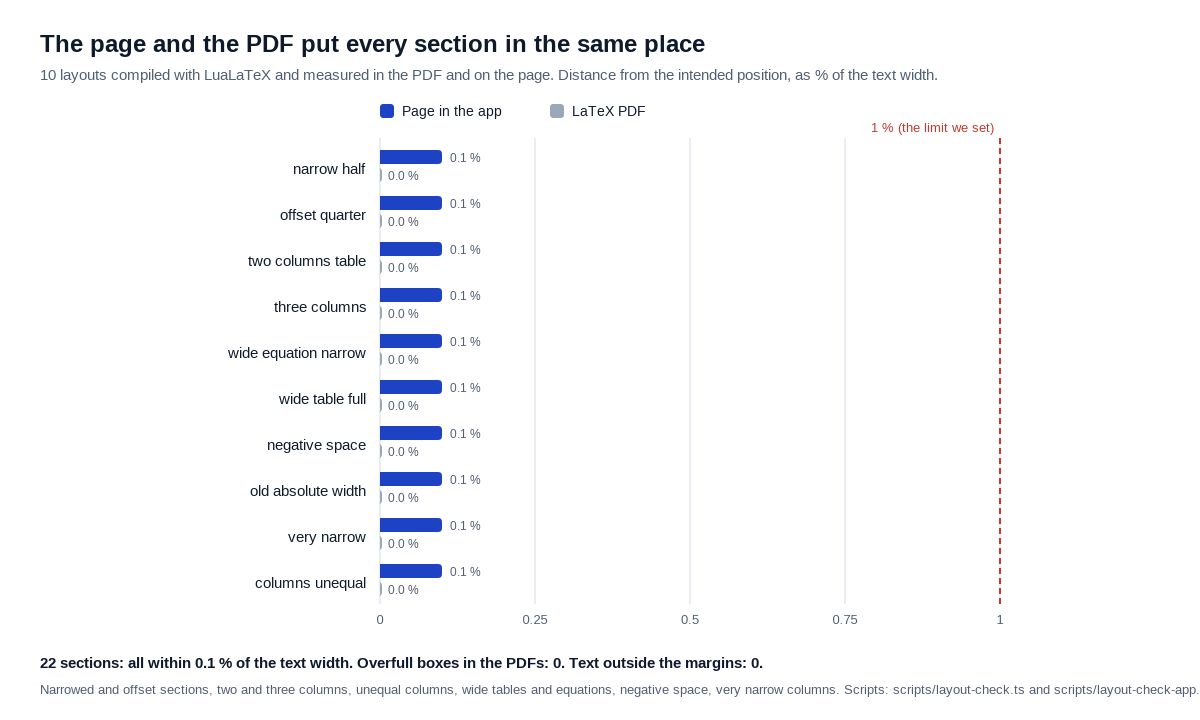
In 10 layouts, every one of 22 sections sits within 0.1 % of the text width of its intended place, in the app and in the PDF.
Live values
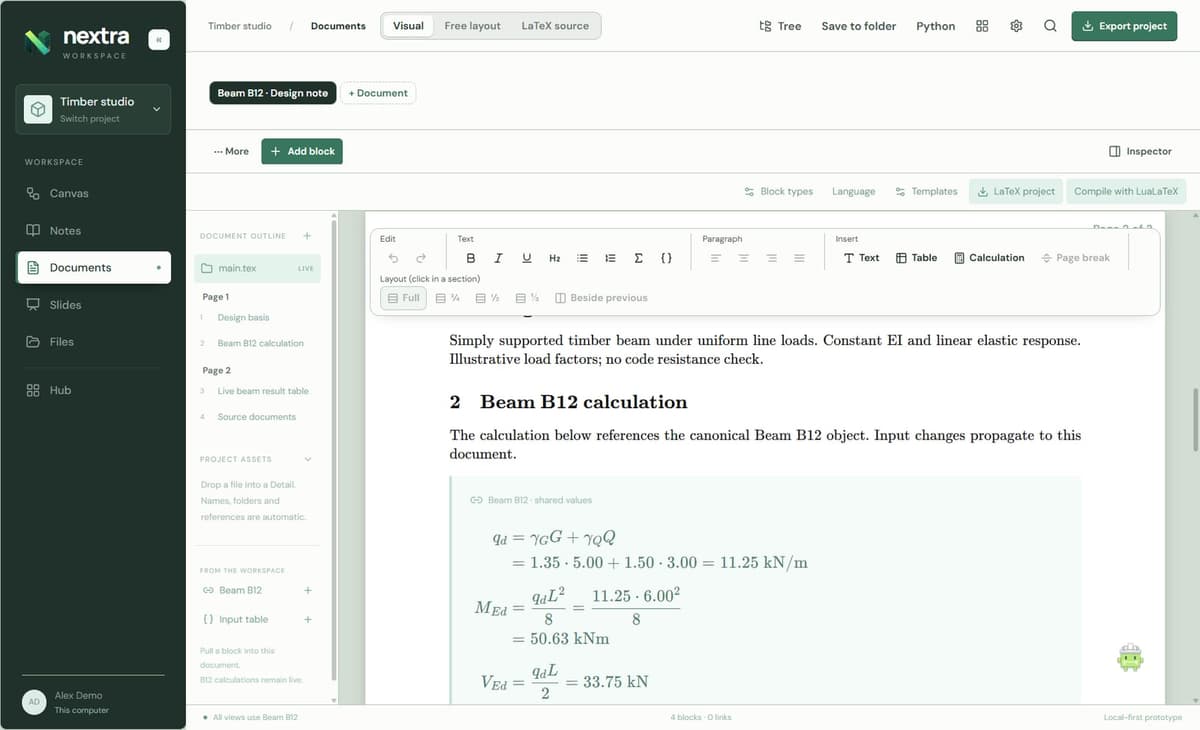
Put [[Beam B12/M_Ed]] in the text. Change a load on the canvas and the report shows the new value.
3D on the canvas
Open an IFC, an OBJ or a structure graph on the canvas, orbit it, maximize it, and wire it to the cards that use it.
Own engines
Save a calculation card as an engine, or turn an Excel sheet into one, and use it from any project.
Files, not a vault
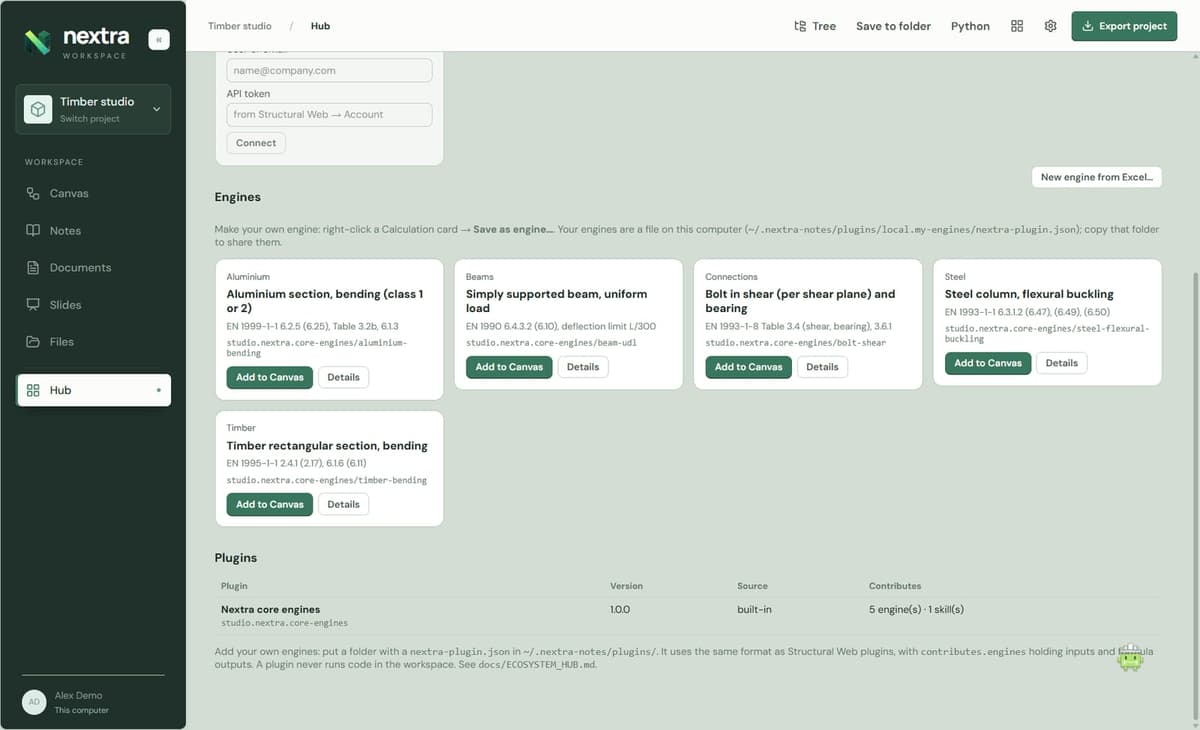
The project is a folder. Settings and templates are files too, so they work with version control and with the tools you already use.
Real screens from the app, captured with demo data.
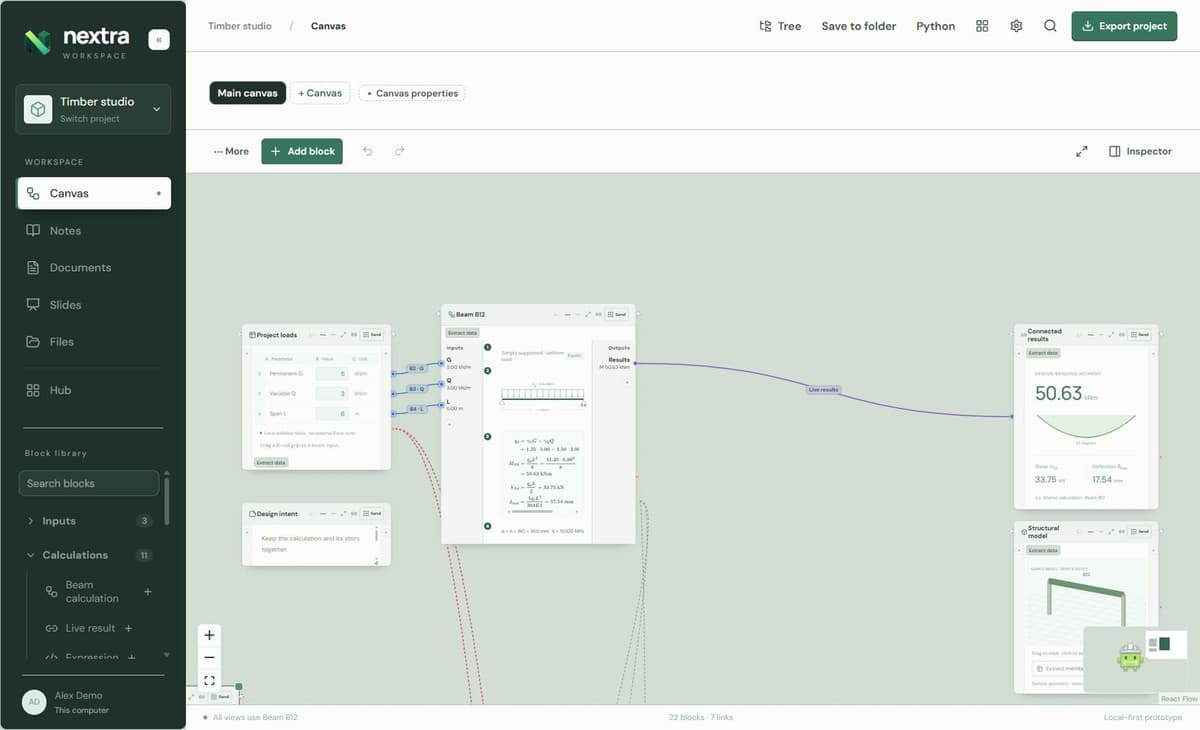
The canvas: calculation cards, a 3D model and a PDF side by side, joined by wires
What it will do when it opens.
How-to21 Nov 2026
The hub of the Nextra tools: a canvas for cards, engines and 3D models, and a LaTeX report that reads their live values. Not released yet; here is what it does.
How-to21 Nov 2026
We built a synthetic 204-page LaTeX report and timed plain LuaLaTeX against Nextra Workspace: 9.44 s to see an edit, 1.17 s with Nextra. And where it is not faster.
How-to21 Nov 2026
A report that looks one way on screen and another in the PDF is a trap. We measured 22 sections in 10 layouts: all within 0.1 % of the text width, in the app and in the PDF.
How-to21 Nov 2026
Open an IFC, an OBJ or a structure graph on the Nextra Workspace canvas, orbit it, maximize it to the whole page and wire it to the cards that read it.