 Nextra
How-to21 Nov 2026
The page and the PDF put every section in the same place
A report that looks one way on screen and another in the PDF is a trap. We measured 22 sections in 10 layouts: all within 0.1 % of the text width, in the app and in the PDF.
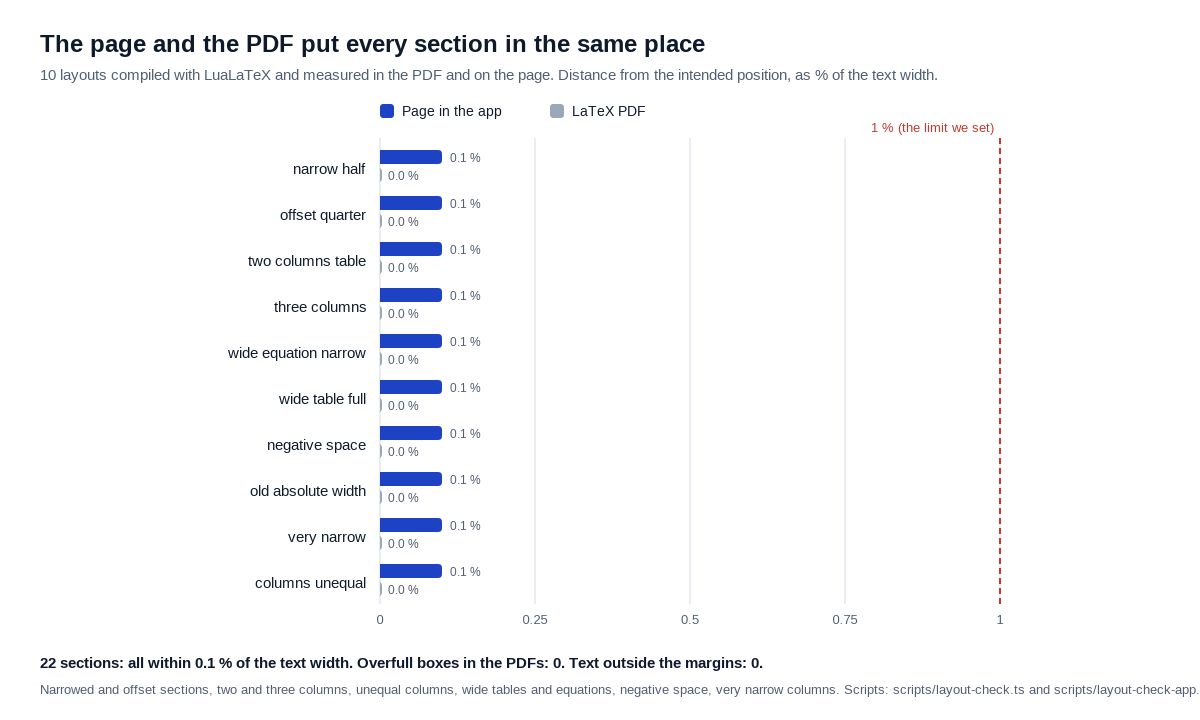
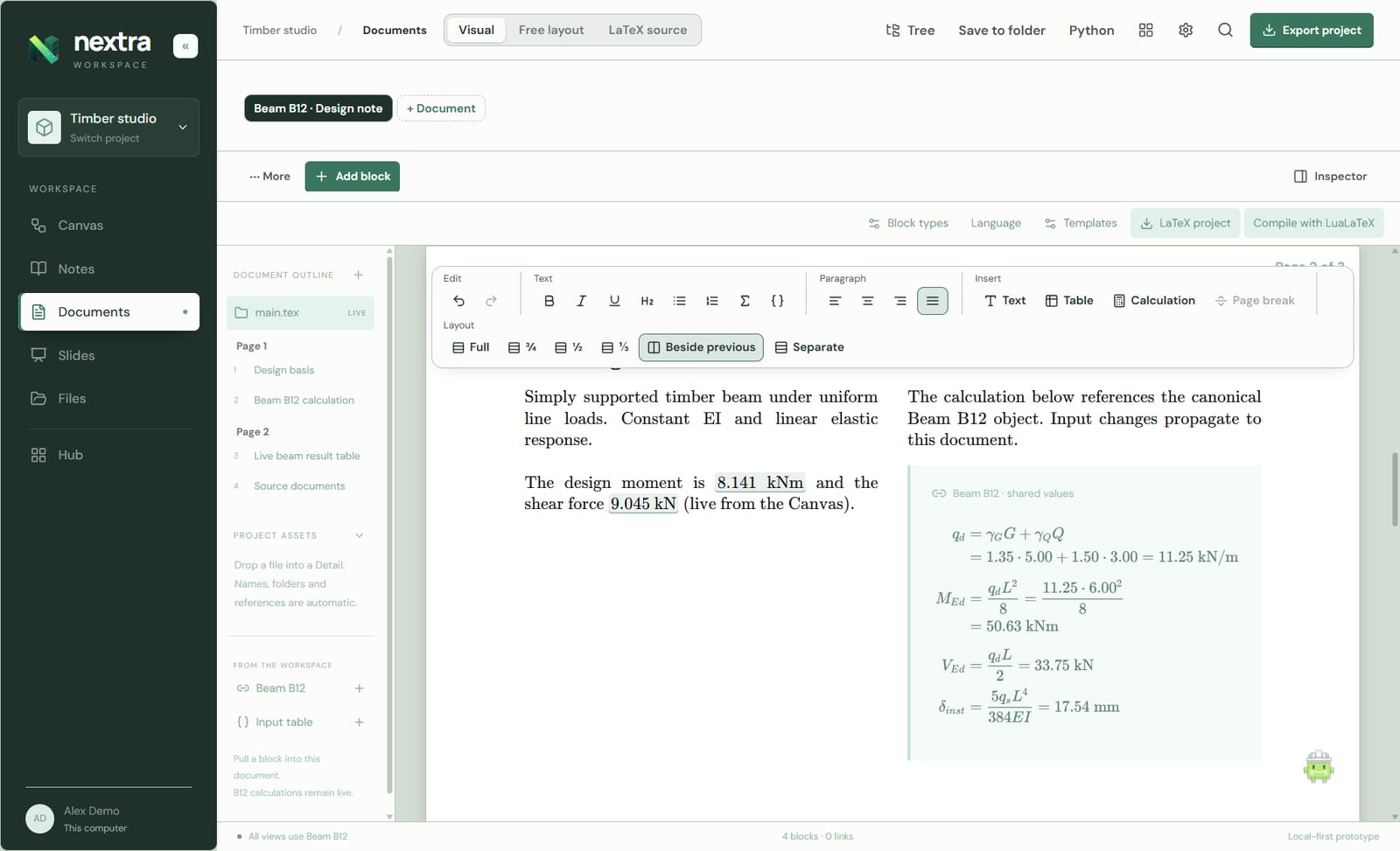
Editing a report on a page is only useful if the PDF looks the same. In Nextra Workspace you can write in a visual page, in a free layout or in LaTeX source, and the three stay in sync. We checked how close the page and the PDF really are.
#What we measured
10 layouts compiled with LuaLaTeX: narrowed and offset sections, two and three columns, unequal columns, wide tables and equations, negative space and very narrow columns. For each section we measured where it ends up in the PDF and on the page, and how far that is from the intended position, as a share of the text width. The limit we set was 1 %.
- 22 sections: all within 0.1 % in the app and in the PDF.
- Overfull boxes in the PDFs: 0.
- Text outside the margins: 0.
#What it does not say
This checks positions, not typography. Line breaks inside a paragraph are LaTeX's own. The check covers layouts built to stress it, not every document.
Nextra Workspace is coming soon. Read about documents.