 Nextra
How-to20 Nov 2026
A four-storey massing and its slab volume, by asking in Rhino
One sentence in Nexiy’s panel built 15 columns and 4 floor slabs in 13 seconds; a second sentence measured the slabs: 298.89 m³. LLM mode, your own OpenAI key, every step undoable.
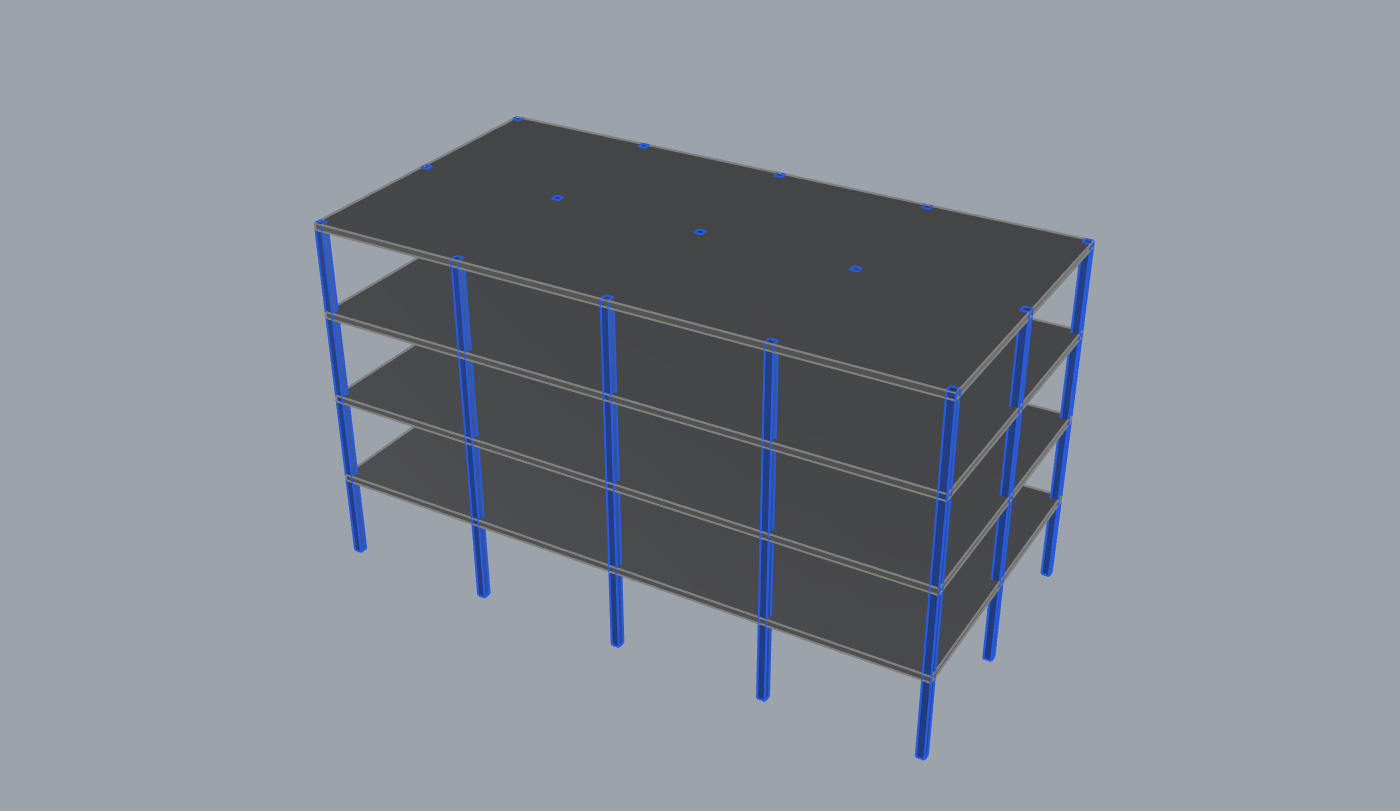
Early in a project you want a building on screen fast: a grid, storeys, slabs, something to look at and measure. Here is a four-storey massing from one sentence in Nexiy's panel, in LLM mode with an OpenAI key, and a quantity right after.
#One sentence for the building
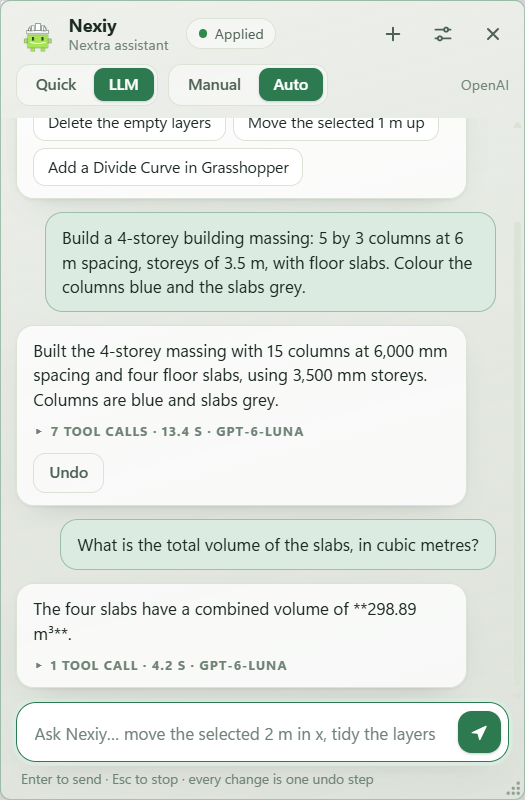
Build a 4-storey building massing: 5 by 3 columns at 6 m spacing, storeys of 3.5 m, with floor slabs. Colour the columns blue and the slabs grey.
13 seconds and seven tool calls later: 15 columns at 6 m, four slabs at 3.5 m steps, the columns blue and the slabs grey.
#One sentence for the quantity
What is the total volume of the slabs, in cubic metres?
Four seconds: 298.89 m³ for the four slabs. The assistant measured the real Rhino objects, not an estimate.
#Quick or LLM?
- Quick picks one typed function, like delete the empty layers or move the selection 2 m up. It is the fastest, and it is right most of the time (the measurements).
- LLM lets a chat model plan several steps with every tool: create the layers, the columns, the slabs, the colours. That is what a massing needs. When you ask Quick for something this big, it hands the request to LLM mode by itself.
Either way, every change is one undo step with an Undo button under the answer. Don't like the spacing? Make the spacing 7.5 m works as a follow-up.
#Try
- Build a 6-storey tower, 4 by 4 columns at 8 m, storeys of 3.2 m, with slabs
- Copy the top slab up 3.5 m and lock the copy
- What is the total length of the columns?
- Put the columns on a layer called Structure::Columns
Set-up: Set up Nexiy, the assistant in Rhino.
A massing is a volume study: real columns and slabs need a structural design. Check what the assistant built before you take the numbers further.