 Nextra
How-to16 Nov 2026
Photograph a sketch, get a 3D frame you can analyse: nextra.structuralweb on your phone
A hand sketch photographed on a phone becomes a 3D frame in three seconds, gets a load, is analysed with the Nextra Design engine and fixed by asking. How it works, why it is fast, and how to start.
nextra.structuralweb is our structural modeller for the browser and the phone. It uses the same engine and the same .nxd file as Nextra Design in Rhino, so a model you start on your phone opens on your laptop and in Rhino. This post shows the part we are most excited about: you can photograph a sketch, ask, and get a 3D model you can analyse.
#From a sketch to a checked frame, on a phone
We drew a two-bay portal frame in a notebook: 6 m bays, 4 m high, HEA 200 columns, an IPE 300 beam, fixed bases.
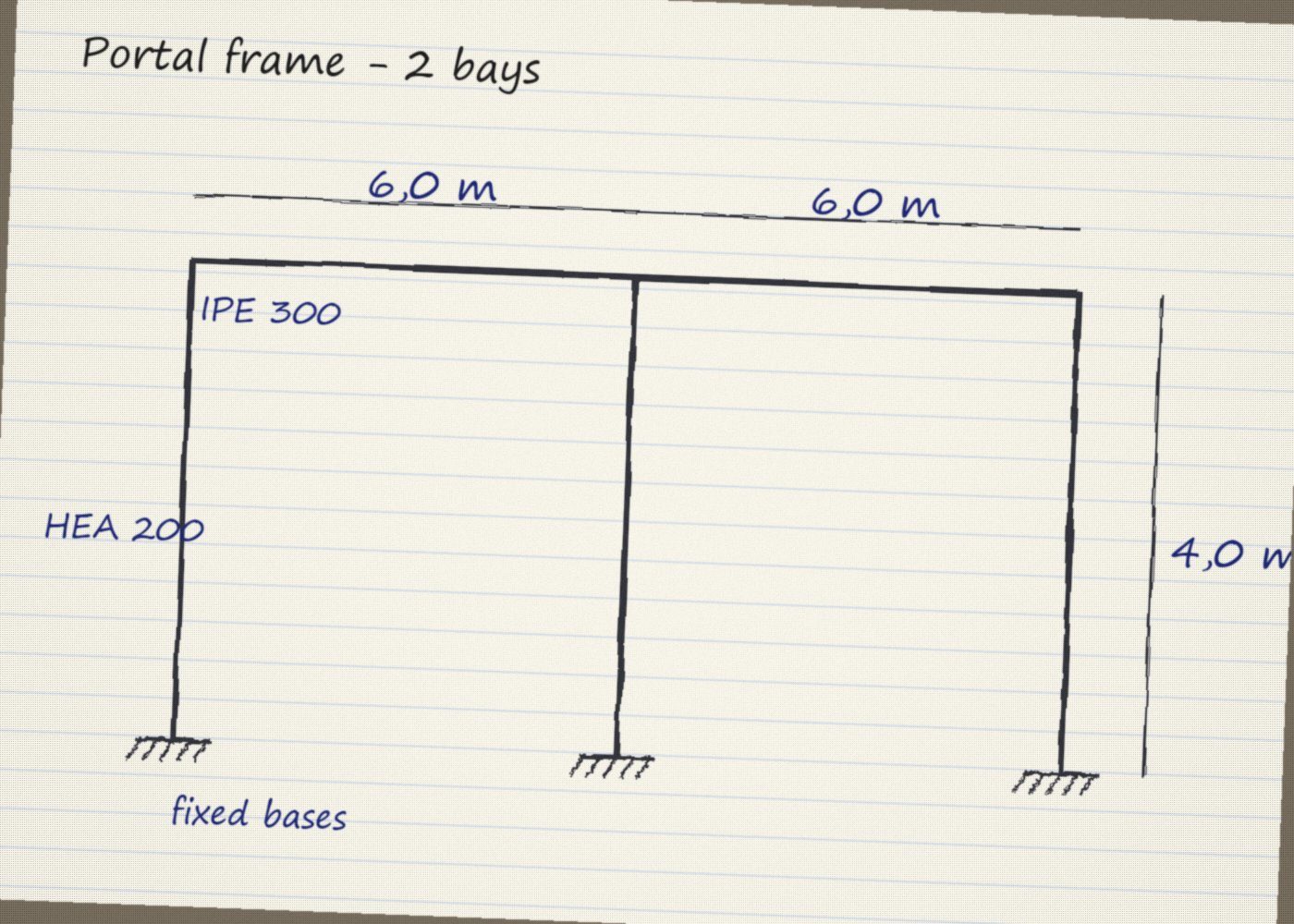
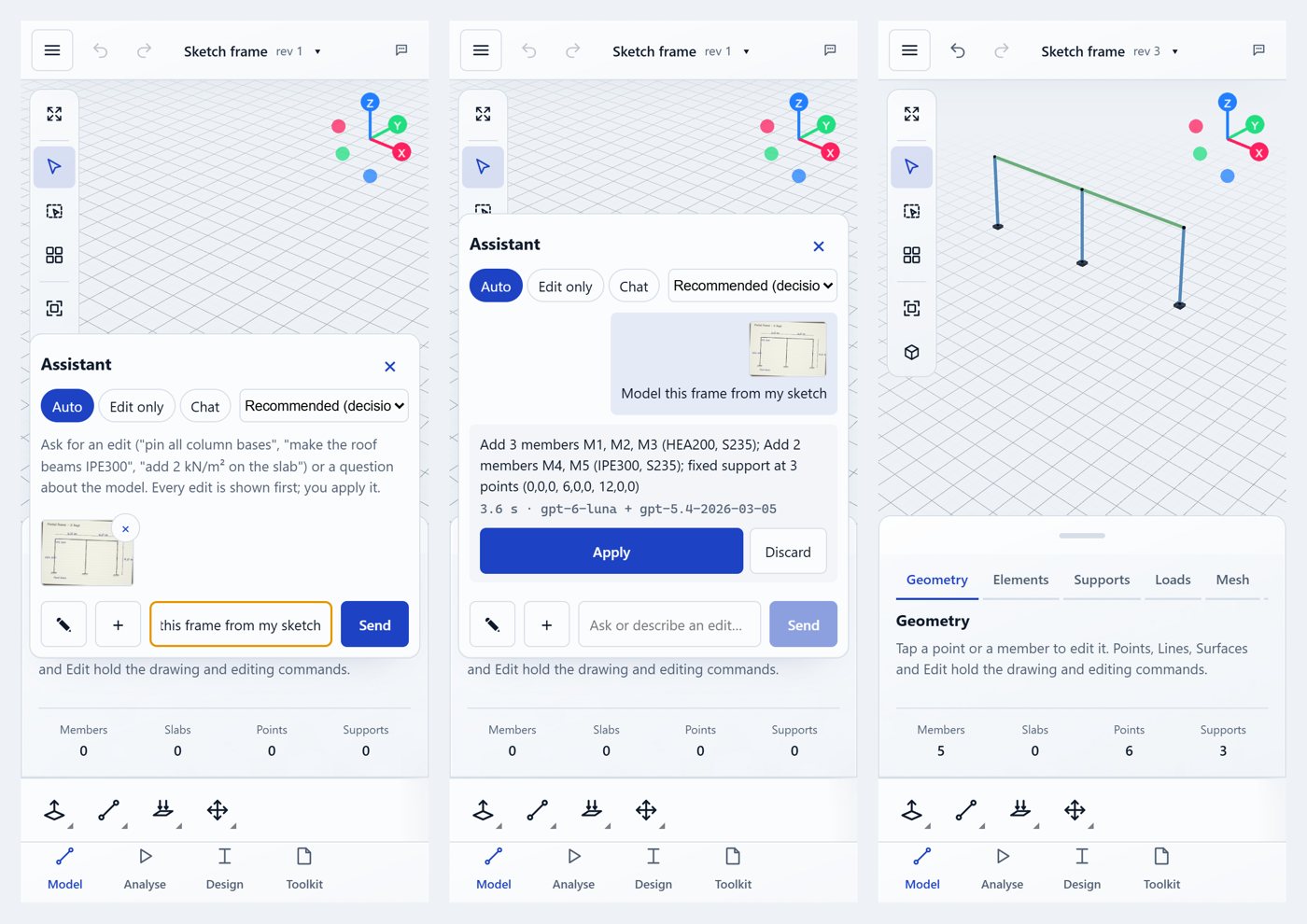
On the phone, in a new, empty project, we opened the Assistant, tapped + (a phone offers the camera or the photo library), and wrote Model this frame from my sketch.
The assistant does not change anything by itself. It proposes the edit in words: 3 members HEA200, 2 members IPE300, fixed supports at (0,0,0), (6,0,0) and (12,0,0). You check it and tap Apply. That is one step to undo.
Then we kept going by asking:
| We asked | The assistant did | Time |
|---|---|---|
| Model this frame from my sketch (with the photo) | 5 members, sections and 3 fixed supports, from the picture | 3.6 s |
| Add 12 kN/m downwards on the beams, permanent | a line load on both beams in the permanent case | 1.1 s |
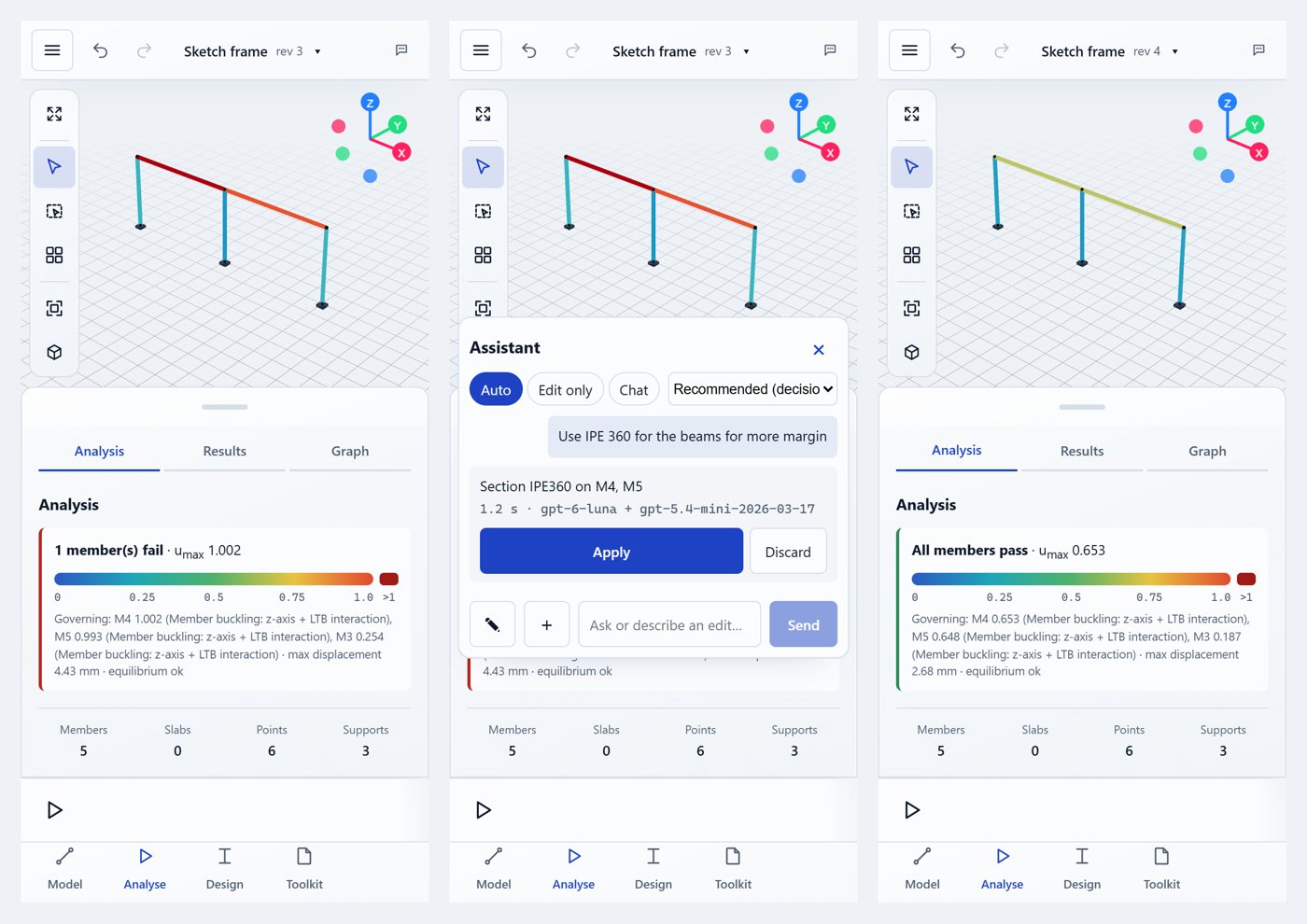
| (Analyse) | the engine's checks: the beams fail by a hair, u = 1.002 | |
| Use IPE 360 for the beams for more margin | the section of both beams | 1.2 s |
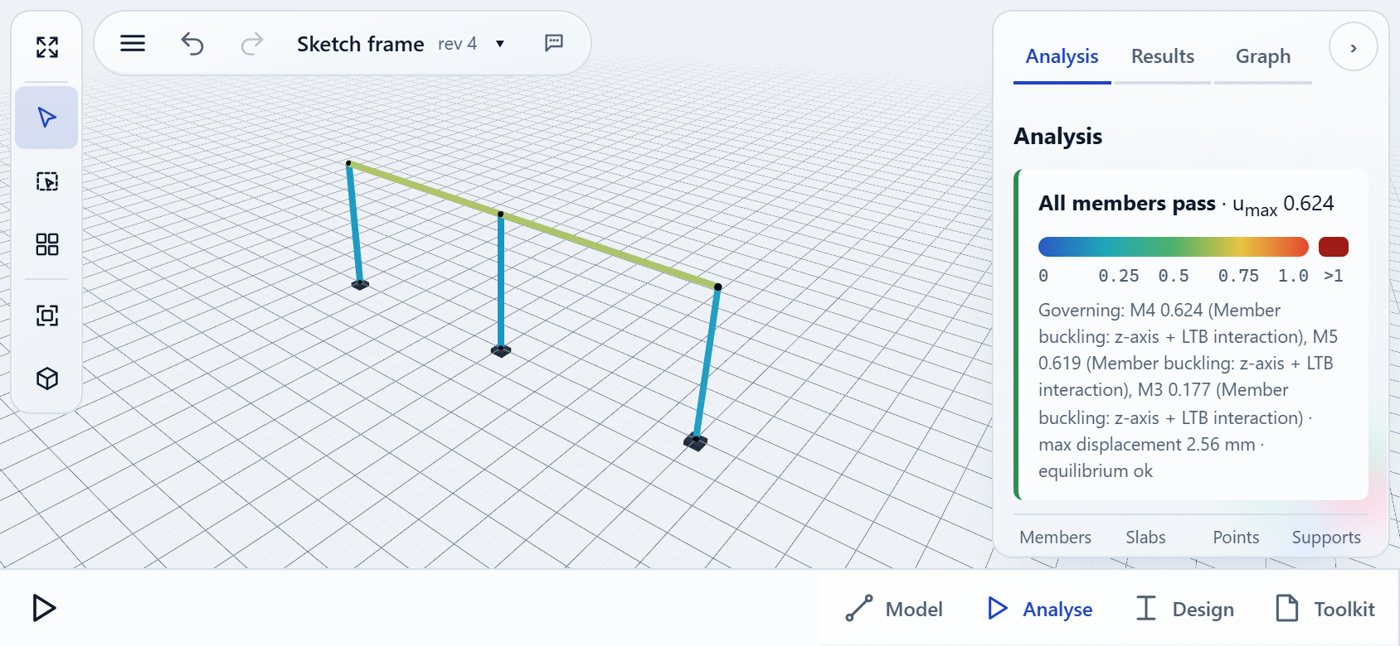
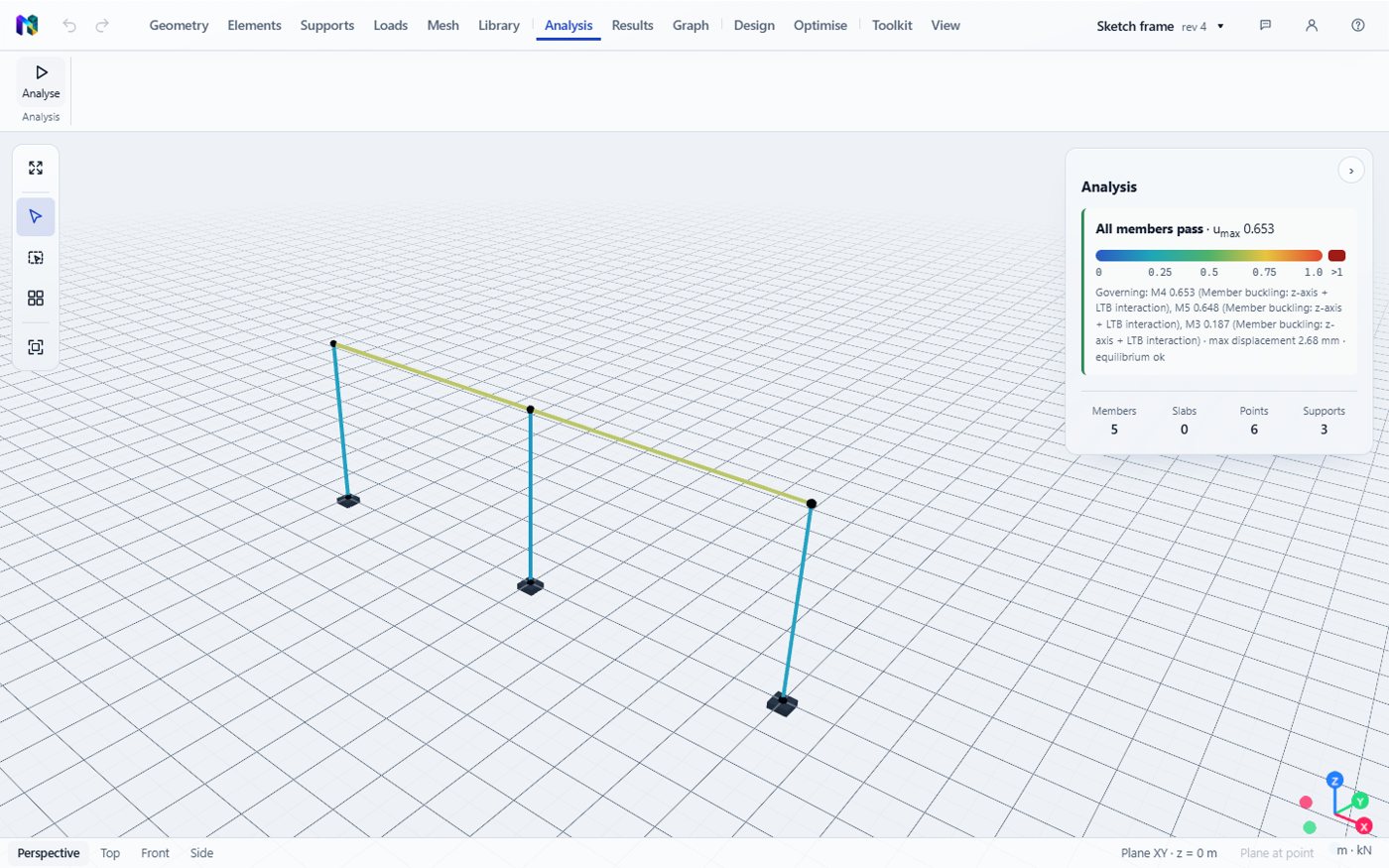
| (Analyse) | all members pass, u = 0.653, 2.7 mm deflection |
The models under each answer say who did the work: gpt-6-luna decided what the request is and which tool makes it, and
gpt-5.4 (with a picture) or gpt-5.4-mini (with words) filled in the values.
#Turn the phone sideways
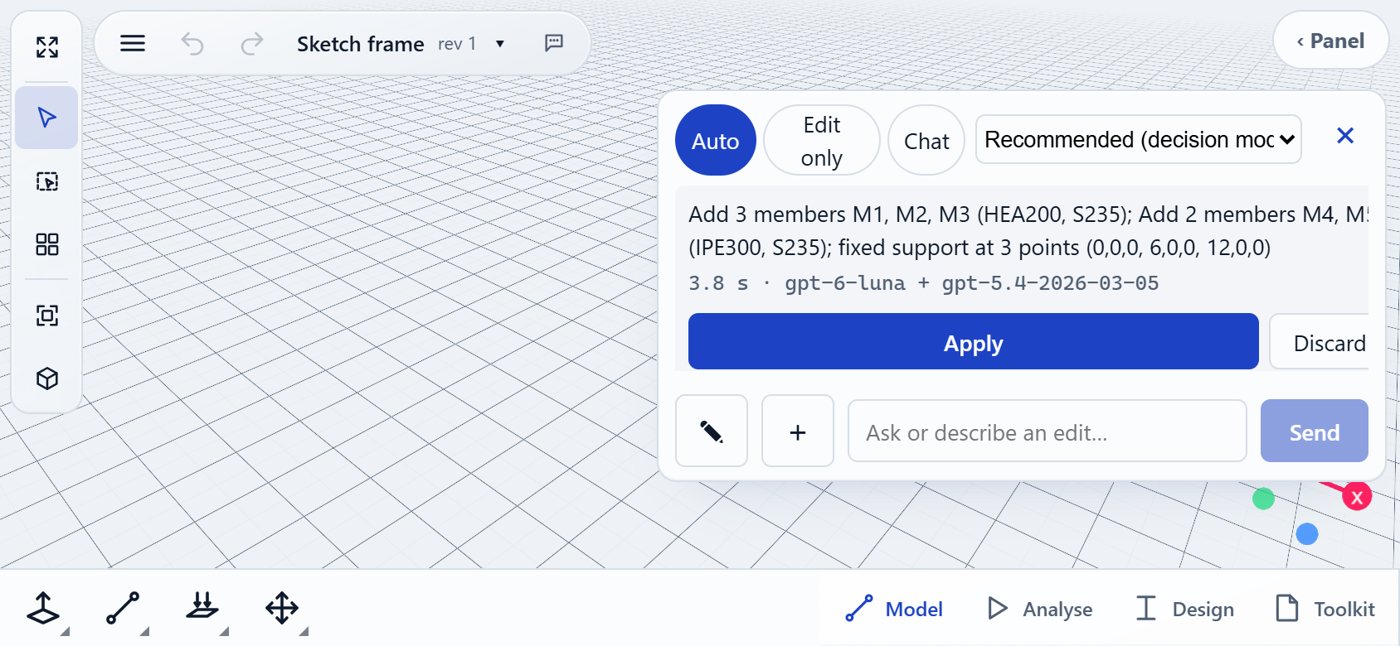
Sideways, the assistant becomes a side panel next to the model, and the results open on the right while the frame stays in view:
The same project, a minute later on the laptop:
#What is different about it
It decides first and writes second. Every request first goes to OpenAI's decision model (gpt-6-luna, the Decisions
API). It returns probabilities, not text, in about 0.16 s: is this an edit or a question, which of the 29 tools makes it, are
there several changes, is a value missing? Only then does a small chat model fill in the values, and it gets only that one
tool. A short prompt is a fast prompt, and a tool the model never sees is a tool it cannot pick by mistake. On our 82 graded
test requests this is right 92 % of the time. 90 % of the requests finish within 1.6 s, and it uses 37 % fewer tokens than
giving the model every tool at once. Opening a tab needs no chat model at all: 0.2 s.
It asks when it is not sure. Put a load on it gets a short question back (What load, and in which direction?), written by a larger model. Your answer finishes the same request.
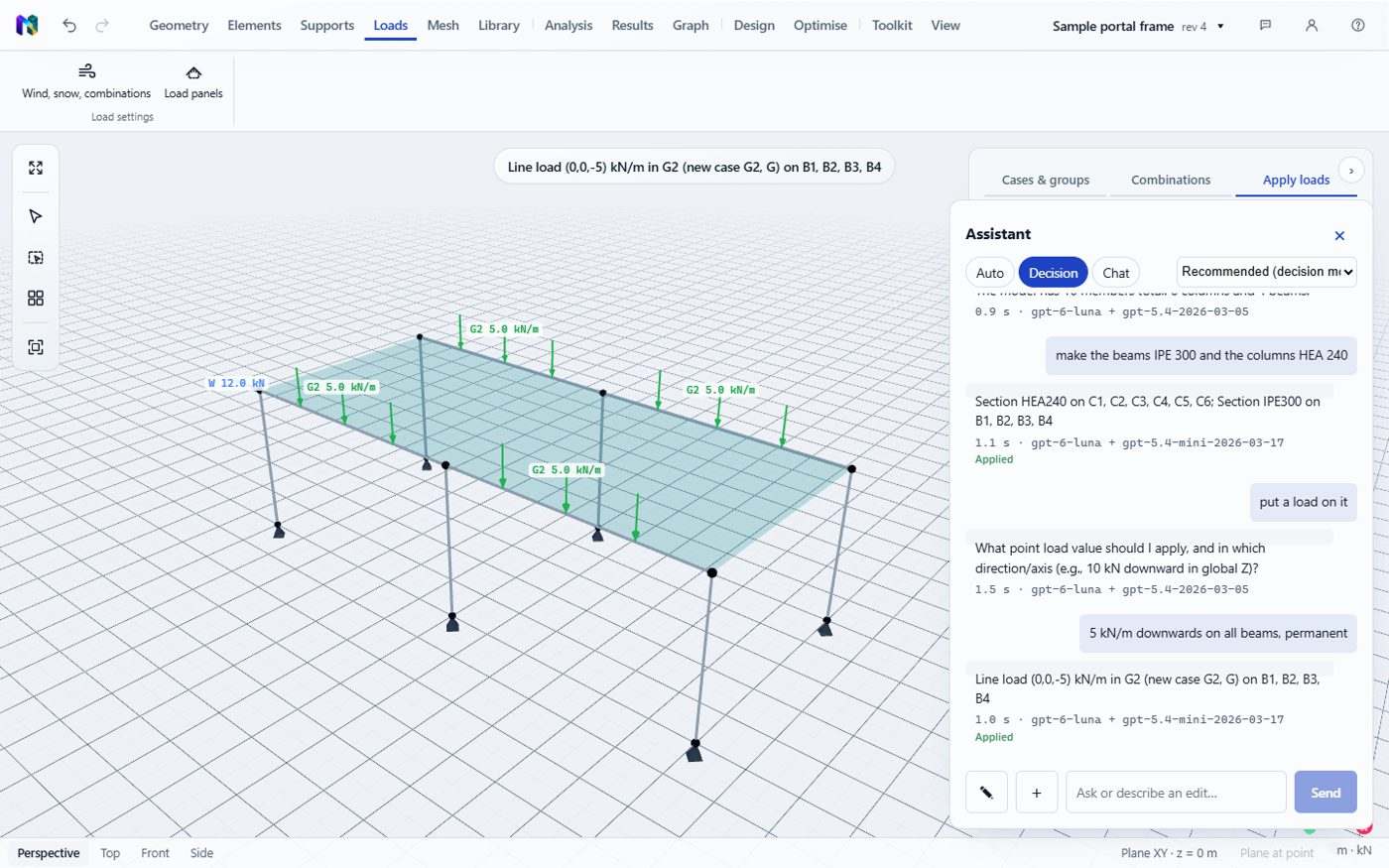
You can point instead of describing. Press the pencil to lock the view and draw on it: a ring around three beams, an arrow, a note. The picture goes to the assistant with a map of which elements are under each mark, so make these HEB 300 means exactly the ones you circled.
It is the Nextra Design engine. The analysis and the timber, steel and concrete checks are the ones you get in Rhino. We analysed the same files in both and got the same answers (the sample frame: utilisation 0.811 in both).
It works with your own AI app as well. Connect ChatGPT, Claude or Gemini once (Install and connect), and they can build, change and analyse your projects the same way.
#How to start
- Open nextra.studio/structuralweb and press Open the app. Sign in with your nextra.studio account (free).
- For the assistant: Account > AI assistant, paste your OpenAI API key and switch on Show the assistant. The key stays in your account, encrypted, and goes only from your browser to OpenAI.
- Press Assistant. Type a request, or press + to add a photo, or the pencil to mark up the view.
- Check the proposal and press Apply. Undo works as for any other edit.
The step-by-step guides with pictures are in the docs: the assistant, getting started and the phone layout.
A photo becomes a model only as well as the sketch says what it is: put the dimensions and the sections on it. Check the proposal before you apply it. The frame here is an example of the workflow, not a finished design: a real frame also needs wind, imposed loads, stability and the connections.