 Nextra
How-to25 Oct 2026
From one sentence to a stadium roof in Rhino
How a plain request becomes a 64-rib timber roof in your open Rhino file, step by step.
#How it works
You type what you want in plain words, in the ChatGPT or Claude app you already use. The plug-in connects that app to the Rhino window you have open. Here is what happens behind one request:
- The AI plans. It decides the shape of the thing: how many ribs, how big the oval, where the rings go.
- It writes a small Python script and runs it inside your Rhino. The script creates the geometry and puts it on sensible layers.
- It looks at the result. Rhino sends back a picture with a grid and short tags on the objects, so the AI can point at a part and say "move that rib".
- It corrects itself. If something is off, it changes the script and runs it again. Every change gets an undo checkpoint, so you can step back at any time.
You stay in charge. The model is a normal Rhino file that you can select, edit and save like any other.
#What was asked, and what came out
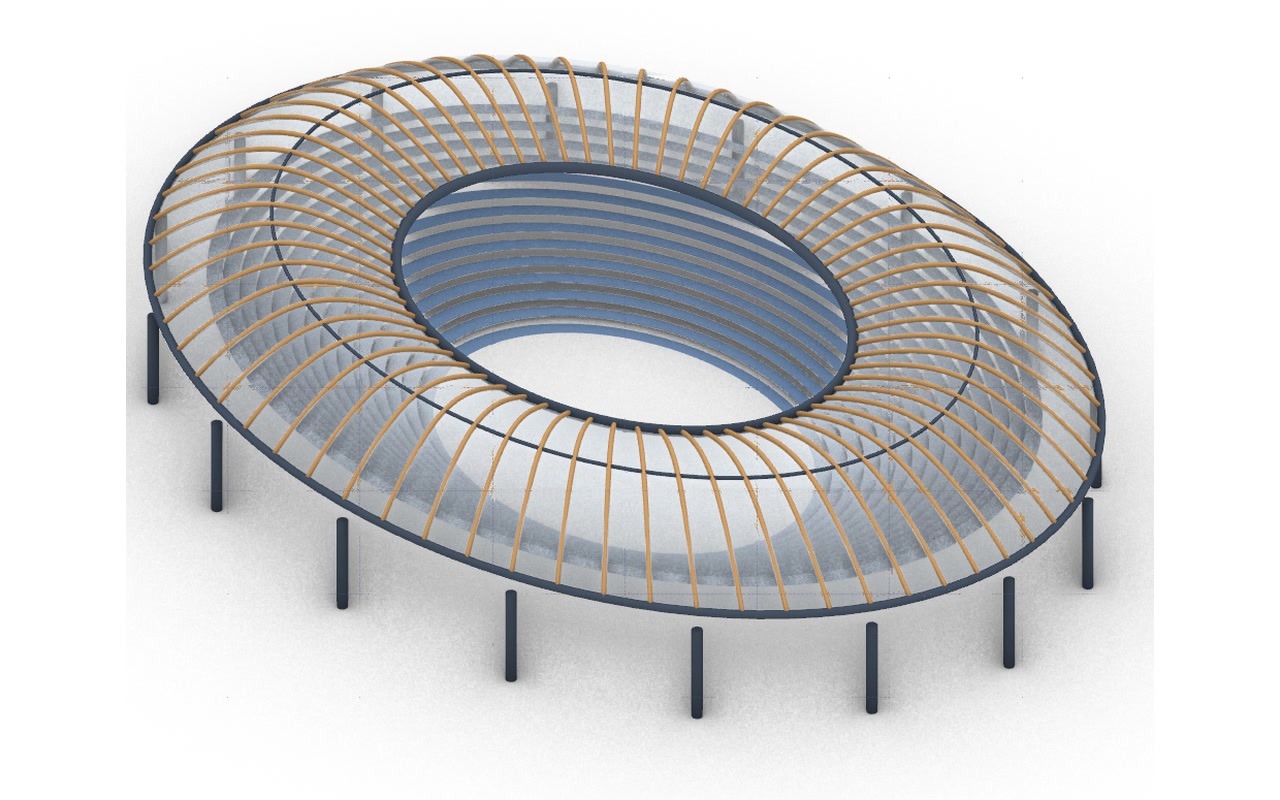
You ask: Design a stadium roof with timber ribs radiating around the bowl.
The result is 64 curved timber ribs, steel rings and a glazed membrane over the seating. Rib count, roof depth and ring positions are plain numbers in the script, so changing them is another sentence away.
#Things to try next
- "Make it 96 ribs and lower the roof edge by 2 m."
- "Put the ribs on their own layer and colour them timber."
- "Add a ring beam of steel tube around the inner edge."
Always check what you get. The AI is fast, but you decide whether the model is right.